

Back
Why Scheduling Future Tickets in Zoho Desk Improves Support Operations

Admin
- June 2, 2026
7 min read

Introduction
Not every support request can be completed immediately. Some tickets require action at a later date due to product updates, vendor investigations, customer requests, contract reviews, or internal approval processes.
In these situations, support teams often close the current ticket and rely on reminders, spreadsheets, emails, or personal notes to remember the next action. While this may work occasionally, it becomes difficult to manage as ticket volumes grow. Important tasks can be overlooked, customer context may be lost, and agents spend time manually creating new tickets when the scheduled date arrives.
This is where the ability to schedule future tickets in Zoho Desk becomes valuable.
Instead of depending on manual tracking, teams can schedule a new ticket directly from an existing ticket and have it created automatically at a specific date and time inside the same Zoho Desk portal.
In this blog, we'll cover:
- Why future ticket scheduling is important
- The limitations of reminders and manual tracking
- Common use cases for scheduled tickets
- How Future Tikets for Zoho Desk works
- How Saasly helps teams manage future ticket workflows
Why Some Support Requests Need Future Ticket Scheduling
Customer support is not always about resolving issues immediately. Many requests involve future actions that need to happen after a specific period.
For example, a customer may report an issue that will be addressed in the next product release. The support team acknowledges the request, but the actual follow-up can only happen once the release is available.
Similarly, some tickets depend on:
- Vendor investigations
- Engineering reviews
- Customer confirmations
- Contract renewal discussions
- Compliance approvals
- Service activation dates
- Scheduled maintenance activities
In these scenarios, agents need a reliable way to revisit the request at the appropriate time.
Keeping tickets open for weeks or months can clutter support queues and affect reporting. Closing the ticket without a structured follow-up process creates the risk of forgetting the next action.
Future ticket scheduling provides a practical middle ground by allowing teams to plan future work while maintaining a clean and organized helpdesk environment.
Why Reminders and Manual Tracking Create Problems
Many support teams manage future actions using methods outside their helpdesk platform.
Common approaches include:
- Calendar reminders
- Sticky notes
- Spreadsheets
- Personal task lists
- Internal chat messages
- Email reminders
While these methods may seem simple, they introduce several operational challenges.
Information Gets Scattered
The original customer conversation remains in Zoho Desk, while the reminder exists elsewhere. This separation makes it harder to maintain context.
Increased Administrative Work
When the scheduled date arrives, agents often need to manually create a new ticket and copy information from the original conversation.
Limited Team Visibility
Personal reminders are usually visible only to the individual who created them. If ownership changes, future actions may be missed.
Higher Risk of Oversight
The more reminders an agent manages, the greater the chance that something important gets overlooked.
As support operations grow, relying on manual tracking becomes increasingly difficult to maintain.
Common Use Cases for Future Tickets in Zoho Desk
Future ticket scheduling can support a wide range of business processes.
Product Release Follow-Ups
A customer reports an issue that will be fixed in an upcoming software release scheduled for next month.
Instead of keeping the ticket open indefinitely, the agent can schedule a future ticket to reconnect with the customer once the update becomes available.
Vendor Investigation Reviews
Third-party vendors may require several weeks to investigate and resolve a problem.
A future ticket can be scheduled for the expected response date.
Customer-Requested Contact Dates
Customers sometimes request that support teams contact them at a specific future date.
Scheduling a ticket ensures the request is revisited at the right time.
Contract Renewal Discussions
Support and customer success teams often need reminders before contract renewals or account reviews.
Service Activation Requests
Some services may be scheduled for activation on a future date.
A future ticket can help teams manage these activities more efficiently.
Compliance and Approval Workflows
Internal reviews and approval processes often have predetermined timelines that require follow-up actions later.
In all these cases, scheduling future tickets helps teams stay organized while maintaining a clear support workflow.
How Future Tickets for Zoho Desk Works
Future Tickets for Zoho Desk is designed specifically to help teams schedule future tickets directly from existing tickets.
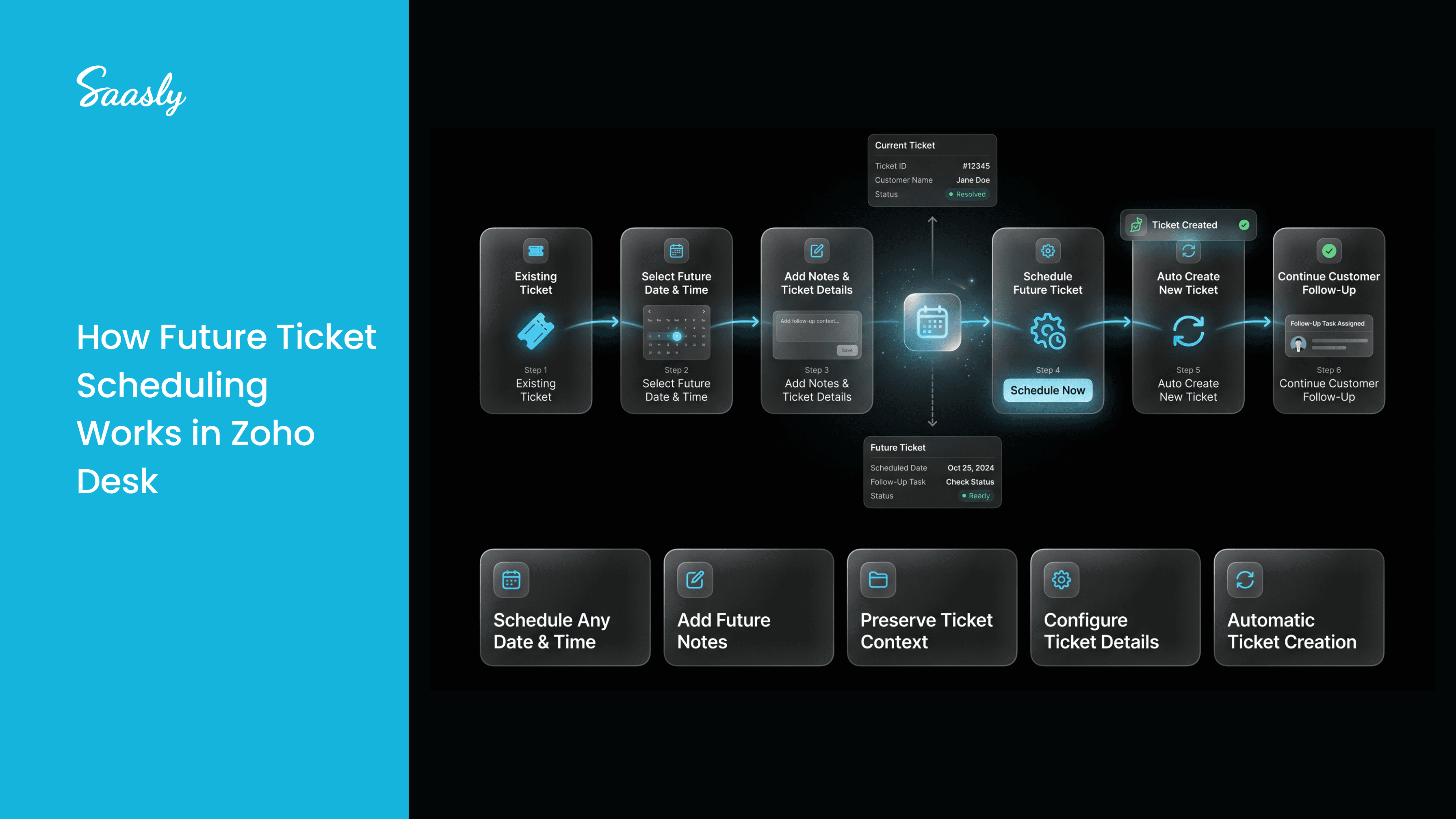
The process is simple.
Step 1: Open an Existing Ticket
An agent identifies a ticket that requires future action rather than immediate resolution.
Step 2: Select a Future Date and Time
Using the Future Tickets app, the agent chooses exactly when the new ticket should be created.
Step 3: Add Notes and Ticket Information
The agent can include notes explaining why the future ticket is being scheduled and configure the ticket details that should be carried forward.
Step 4: Schedule the Future Ticket
The ticket is scheduled within Zoho Desk.
Step 5: New Ticket Gets Created
At the selected date and time, the application automatically creates a new ticket inside the same Zoho Desk portal.
The new ticket contains the relevant information needed to continue the conversation or process.
This approach helps teams manage future actions without relying on external reminders or manual ticket recreation.
Benefits of Using a Ticket Scheduler Inside Zoho Desk
A dedicated ticket scheduling solution offers several practical benefits.
Better Organization
Future actions remain connected to the support workflow rather than being managed through external tools.
Reduced Manual Ticket Recreation
Agents no longer need to remember to create new tickets when future actions are required.
Improved Context Preservation
Important information from the original ticket can be carried forward into the scheduled ticket.
Better Visibility
Teams can manage future actions directly within Zoho Desk.
Consistent Operations
A structured scheduling process helps create a more predictable and organized support environment.
How Saasly Helps Teams Manage Future Ticket Workflows
Saasly develops productivity applications that help support teams improve workflow management within their existing helpdesk environment.
Future Tickets for Zoho Desk was built to address a common challenge faced by support teams: managing requests that require attention at a later date.
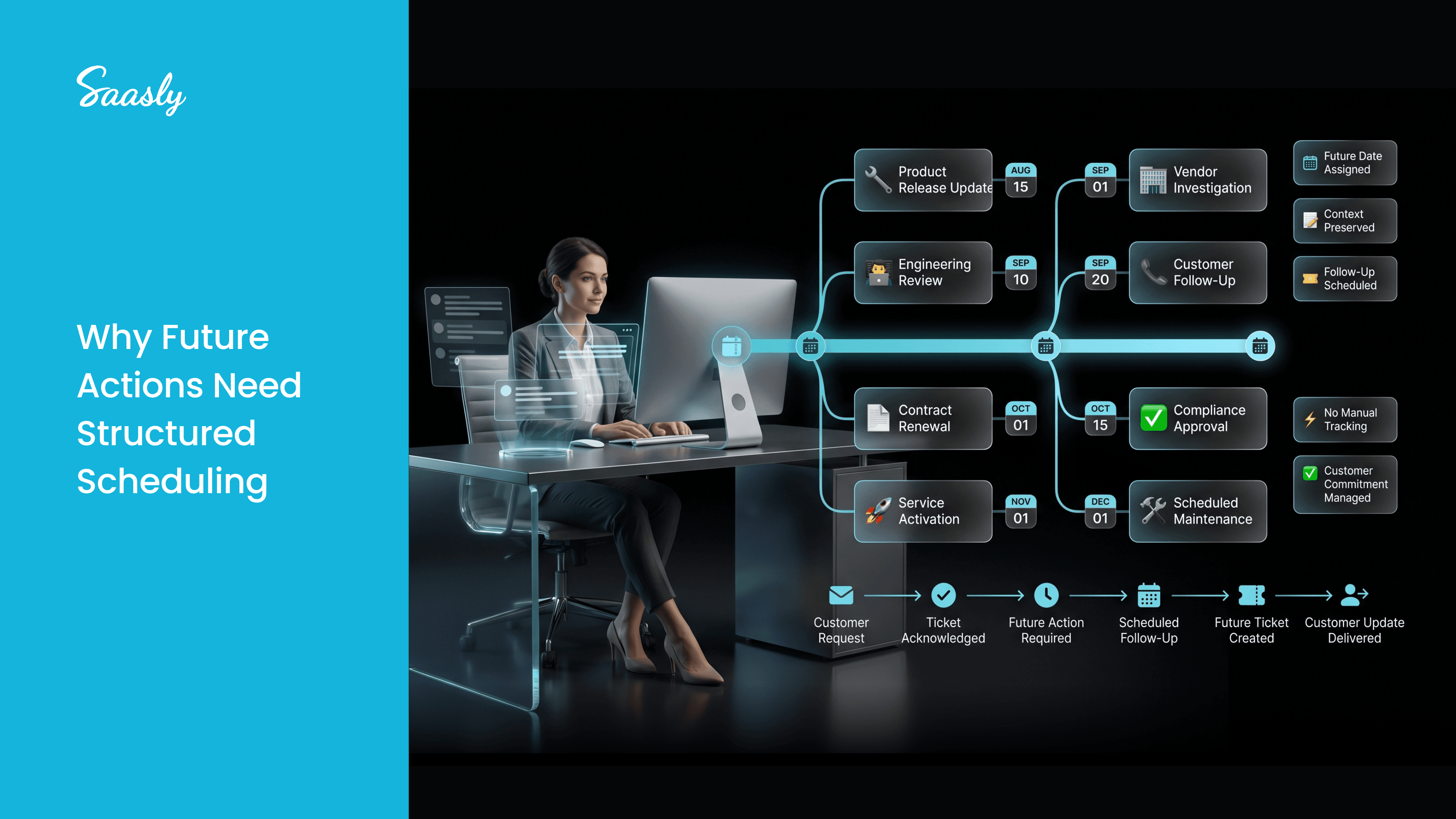
Instead of relying on personal reminders or external tracking tools, agents can schedule future tickets directly from existing tickets and ensure that planned actions are revisited at the right time.
The application allows teams to:
- Schedule future tickets easily
- Select exact creation dates and times
- Preserve important ticket context
- Maintain organized support workflows
- Reduce manual effort associated with future ticket management
You can learn more about the app here:
Future Tickets for Zoho Desk: saasly.in/apps/future-tickets-for-zohodesk
Installation Guide: saasly.in/apps/userguide/how-to-install-future-tickets-in-zohodesk
Why Future Ticket Scheduling Matters
As support operations expand, managing future actions becomes increasingly important.
Many customer requests involve timelines that extend beyond the initial support interaction.
Without a structured process, teams often rely on reminders, spreadsheets, or manual tracking methods that can create inefficiencies and increase the risk of missed actions.
The ability to schedule future tickets in Zoho Desk provides a simple and organized way to manage these situations.
By allowing teams to plan future actions directly from existing tickets, organizations can improve visibility, maintain customer context, and create a more structured support workflow.
Rather than depending on memory, teams can ensure that important requests are revisited exactly when they need attention.
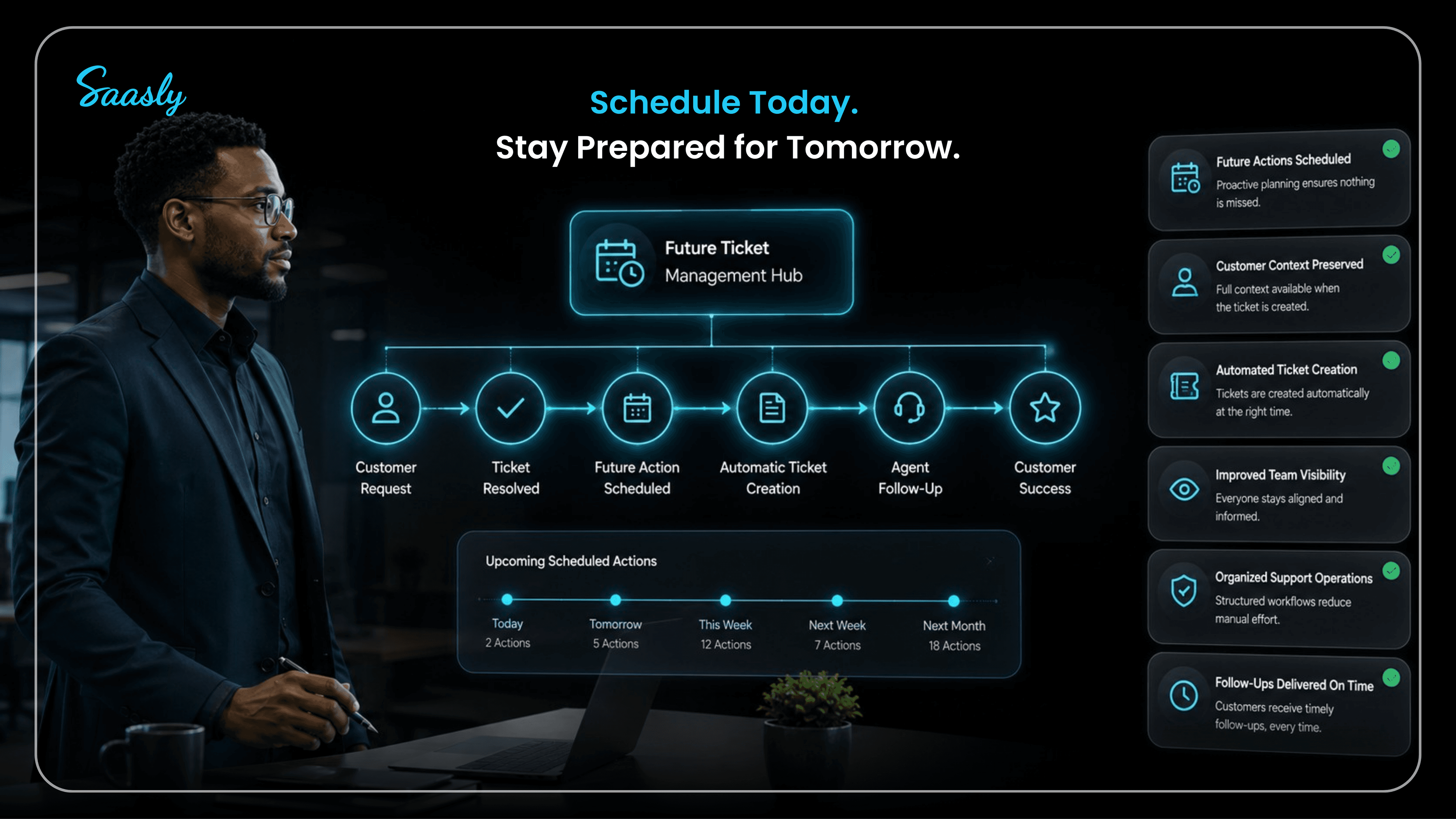
Ready to Schedule Future Tickets More Efficiently?
Stop relying on spreadsheets, reminders, and manual ticket creation.
With Future Tickets for Zoho Desk, your team can schedule future tickets directly from existing tickets and ensure important requests are revisited at the right time.
Whether you're managing product updates, vendor investigations, contract reviews, or customer-requested follow-ups, Future Tickets helps keep your support workflow organized and prepared for future actions.
Explore Future Tickets for Zoho Desk: saasly.in/apps/future-tickets-for-zohodesk
Contact the Saasly Team: Contact Saasly