

Back
When Should You Extend Zoho Desk With Marketplace Apps?

Bellarmine Joshi V
- August 18, 2026
9 min read

Introduction
Zoho Desk can give your support team a solid foundation for managing customer conversations, tickets, and support operations.
But as your business grows, your support workflow grows with it.
You may find your agents repeating the same tasks every day. Your team may start using spreadsheets to track information that isn't available where they need it. Agents may switch between multiple tools to complete a single customer request. Or you may simply discover that your current Zoho Desk setup doesn't support a workflow that is important to your business.
At that point, the question isn't whether Zoho Desk is capable enough.
The better question is:
When should you extend Zoho Desk with Marketplace apps?
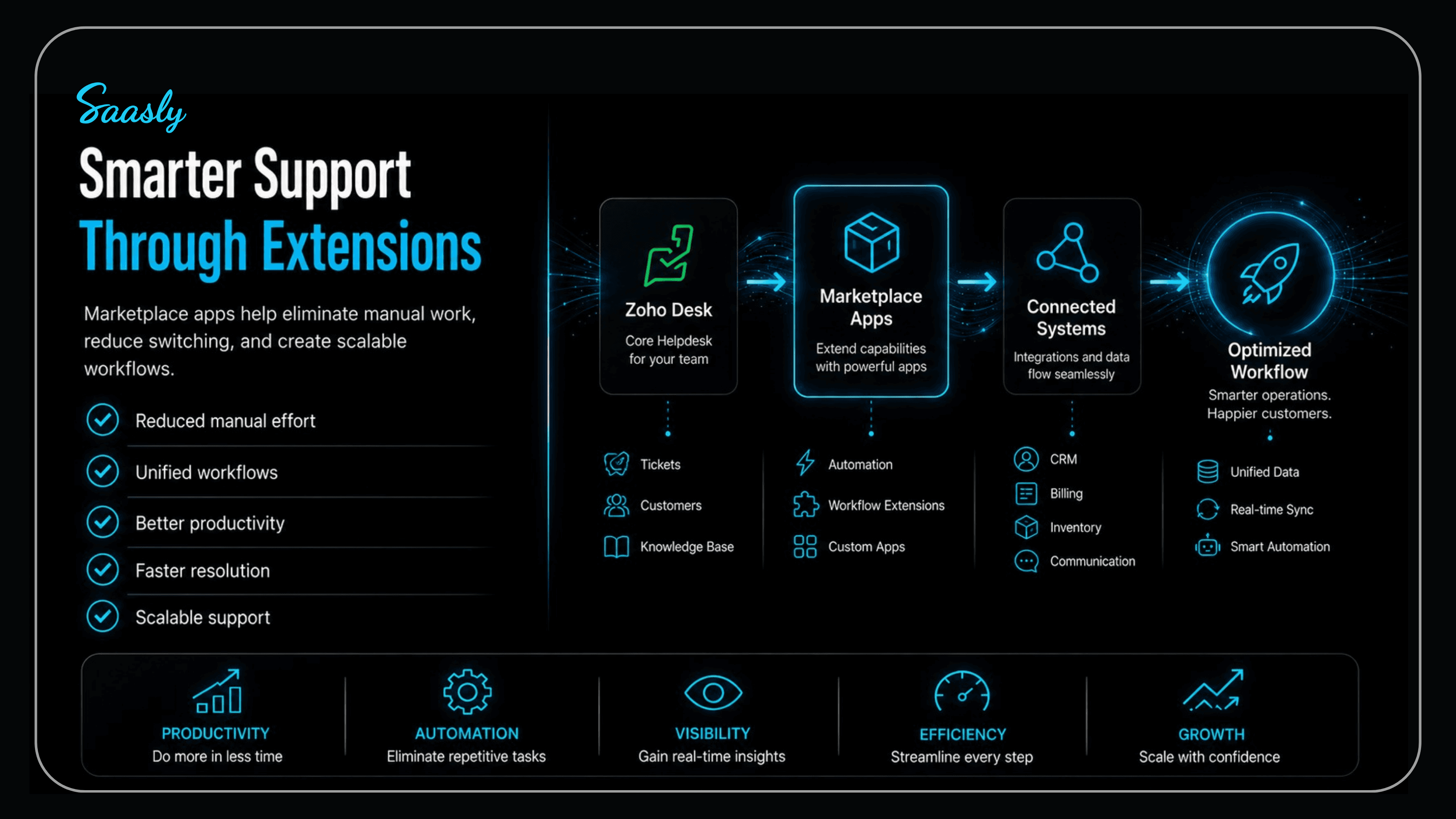
The right Marketplace app can fill a specific operational gap, add functionality to your existing workflow, and help your team work more efficiently—without replacing the helpdesk you already use.
What Does It Mean to Extend Zoho Desk?
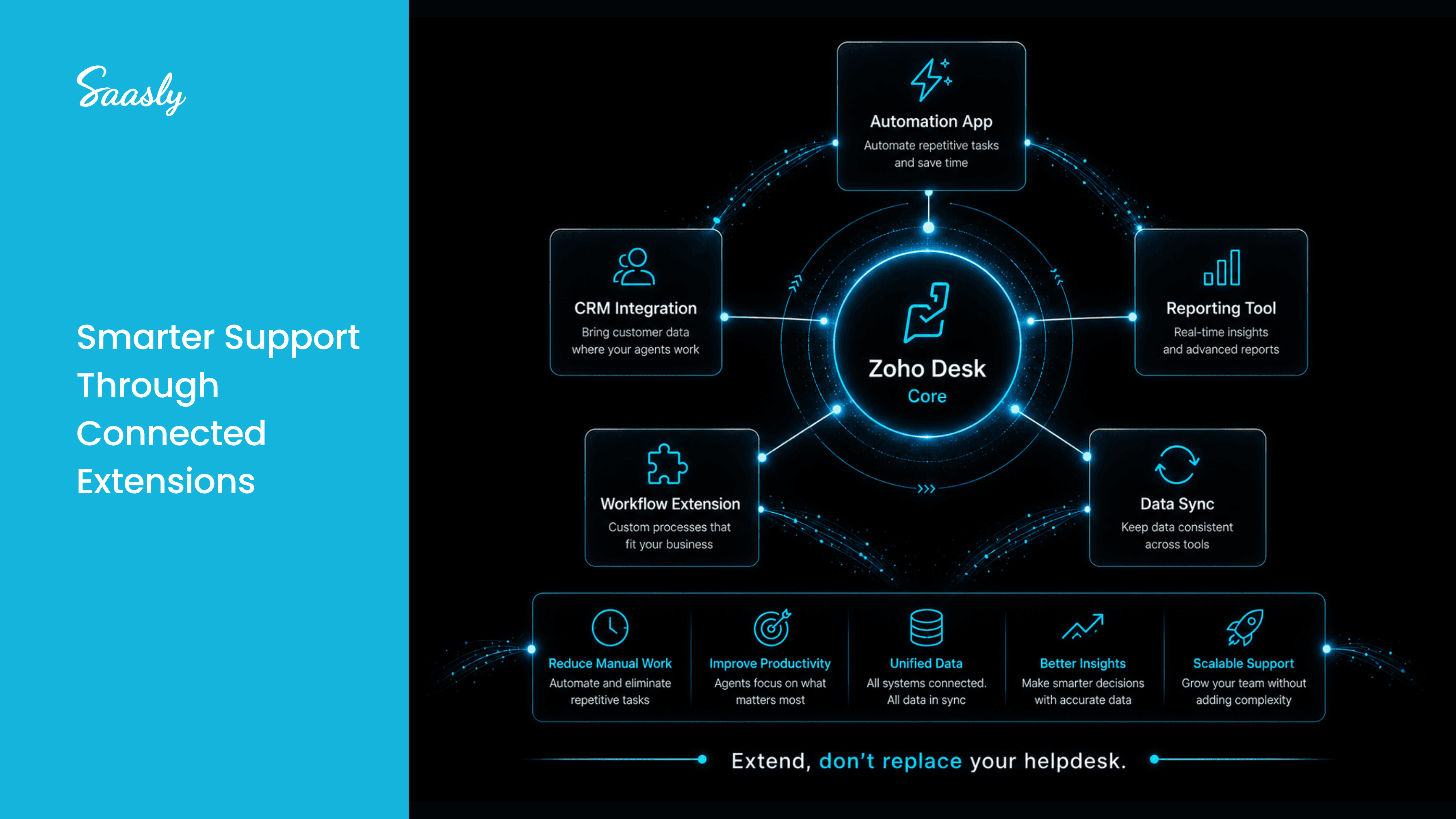
Extending Zoho Desk means adding capabilities that go beyond the functionality available in your existing setup.
This can be achieved through:
- Marketplace apps
- Third-party integrations
- Workflow extensions
- Custom applications
- Automation tools
The purpose isn't to add more software simply because it's available.
It's to solve a specific problem.
For example, if your agents spend significant time performing a repetitive task manually, an extension that automates that process may be valuable.
If your support team needs information from another business system, an integration may eliminate unnecessary switching between applications.
The best extension is therefore the one that fits naturally into the workflow your team already follows.
When Are Zoho Desk's Native Features Enough?
Before looking for a Marketplace app, consider whether Zoho Desk already provides the functionality you need.
If your team can manage its current ticket volume, workflows, automation, reporting, and customer communication without significant manual workarounds, adding another application may not be necessary.
Marketplace apps become more valuable when your business encounters a specific capability gap.
That distinction is important.
You shouldn't install an app because your competitors use it or because it has many features.
You should consider an app when it solves a problem that is costing your team time, productivity, or customer experience.
5 Signs Your Business May Need a Marketplace App
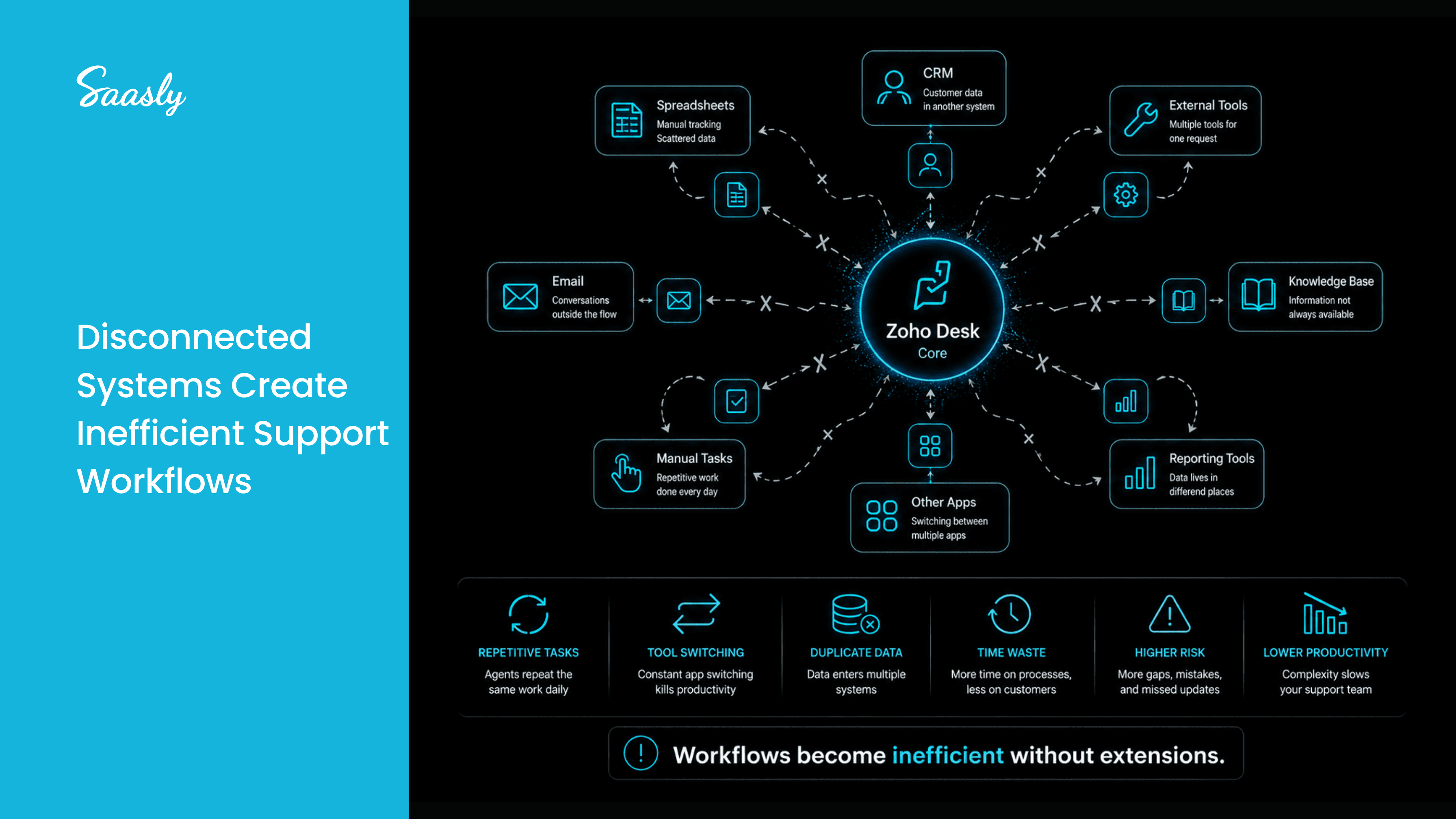
1. Your Agents Repeat the Same Task Every Day
Look at the activities your agents perform repeatedly.
Are they manually updating information, checking another system, organizing data, sending repetitive communications, or performing the same action across multiple tickets?
If a task is repetitive and predictable, it may be a good candidate for an extension or automation.
The goal is simple:
Reduce the time agents spend managing the process so they can spend more time helping customers.
2. Your Team Depends on Spreadsheets or External Tools
Spreadsheets can be useful, but they can also become a sign that your support workflow has outgrown your current setup.
If agents regularly leave Zoho Desk to check information, update records, track activities, or manage follow-ups, the process becomes fragmented.
Every additional tool creates another place where information can be missed or duplicated.
A suitable Zoho Desk integration can bring relevant information or functionality closer to the ticket workflow.
3. Your Support Workflow Requires Functionality You Don't Have
Every business has different support processes.
Your team may need a specialized workflow that isn't available in the standard configuration.
Instead of changing your entire support process to fit the software, a Marketplace app can sometimes extend the platform around your existing requirements.
This is particularly useful when the requirement is specific enough to need additional functionality but common enough that a ready-made solution already exists.
4. Agents Are Switching Between Multiple Applications
Imagine an agent handling one customer request.
They open Zoho Desk, switch to a CRM, check another application, search for information, return to the ticket, and then update the customer.
Each individual step may seem small.
Across hundreds or thousands of tickets, however, these context switches can add significant friction to the support process.
Integrations can help reduce this fragmentation by connecting the systems agents already depend on.
The objective isn't necessarily to eliminate every external tool.
It's to eliminate unnecessary switching.
5. Your Support Team Is Growing
A workflow that works for five agents may not work the same way for fifty.
As your support team grows, small inefficiencies become larger operational problems.
Manual processes become harder to monitor. Inconsistent workflows become more visible. And managers have less ability to rely on individual agents remembering every process.
This is where extending Zoho Desk can help create more consistent workflows across the team.
Marketplace Apps vs. Custom Development
Once you've identified a capability gap, you have another decision to make:
Should you install a Marketplace app or build something custom?
A Marketplace app can be a practical choice when your requirement is already supported by an existing solution.
It can provide a faster path to implementation without requiring your team to develop and maintain the entire solution internally.
Custom development may make more sense when your workflow is highly specific or requires functionality that isn't available through existing applications.
The decision should therefore start with the business requirement—not the technology.
Ask:
- What problem are we trying to solve?
- How frequently does it occur?
- How much manual effort does it require?
- Is there an existing Marketplace solution?
- Does the solution integrate with our workflow?
- Can it scale with our team?
How to Choose the Right Zoho Desk Marketplace App
Finding an app is easy.
Finding the right app requires more evaluation.
Before installing a Marketplace application, consider:
Problem Fit Does the app solve the exact problem your team is experiencing?
Workflow Fit Will agents use it naturally within their existing support process?
Integration Requirements Does it connect with the systems your business already uses?
Ease of Adoption Can your team understand and use the application without significant training?
Scalability Will it continue to be useful as your ticket volume and team size increase?
Support and Maintenance Does the developer actively maintain the application and provide support when needed?
The best app isn't necessarily the one with the longest feature list.
It's the one that solves the right problem with the least disruption.
Where Saasly Fits In
At Saasly, we believe Marketplace applications should solve real operational problems—not simply add more features to your helpdesk.
Our approach focuses on identifying workflow gaps and building practical solutions that help support teams work more efficiently.
Whether the requirement involves productivity, automation, integrations, customer information, or specialized workflows, the objective remains the same:
Make the existing support environment work better for your team.
Saasly develops Marketplace applications and integrations designed to extend customer-support platforms around real business requirements.
For businesses using Zoho Desk, this means you don't necessarily need to replace your existing helpdesk when a new requirement appears.
Sometimes, you simply need the right extension.
What Should the Right Extension Deliver?
A successful Zoho Desk extension should ultimately create a measurable improvement in the way your team works.
That could mean:
Less manual work Agents spend less time performing repetitive tasks.
Fewer context switches Important information and workflows stay closer to the support environment.
More consistent processes Teams follow a clearer and more structured workflow.
Better agent productivity Agents can focus more of their time on customer-facing activities.
Improved scalability Your support process becomes easier to manage as ticket volumes increase.
These outcomes matter more than simply adding another application to your technology stack.
Conclusion
You don't need a Marketplace app just because you're using Zoho Desk.
You need one when your support team encounters a specific problem that your current setup cannot solve efficiently.
If agents are spending too much time on repetitive tasks, switching between applications, relying on spreadsheets, or working around missing functionality, it may be time to consider extending Zoho Desk.
The right Zoho Desk Marketplace app can fill that gap without forcing your business to replace the support platform you've already invested in.
Start with the problem.
Understand the workflow.
Evaluate the available solutions.
Then choose the extension that delivers the clearest business value.
At Saasly, we help businesses extend customer-support platforms with practical Marketplace applications and integrations designed around real operational needs.
Your helpdesk doesn't always need to be replaced. Sometimes, it just needs to be extended.
Explore Saasly Marketplace Solutions
Discover how Saasly can help extend your customer-support workflows with Marketplace apps and integrations.
Explore Saasly
FAQs
1. What are Zoho Desk Marketplace apps?
They are applications available through the Zoho Marketplace that can add functionality, integrations, or workflow capabilities to Zoho Desk.
2. When should I extend Zoho Desk?
Consider an extension when your team faces a specific capability gap, repetitive manual work, disconnected workflows, or productivity challenges.
3. Should I use a Marketplace app or custom development?
Use a Marketplace app when an existing solution meets your requirements. Custom development may be better when your workflow requires highly specific functionality.
4. Can Marketplace apps improve agent productivity?
Yes. The right application can reduce repetitive work, minimize tool switching, and help agents complete support workflows more efficiently.
5. How do I choose the right Zoho Desk app?
Start with your business problem, then evaluate the app's functionality, workflow fit, integrations, scalability, usability, and developer support.