

Back
How to Find Professional Product Images for Your Shopify Store

Karthikeyan R
- October 12, 2026
8 min read

Introduction
Your product may be great. Your pricing may be competitive. Your Shopify store may be well-designed.
But if your product images look low-quality, inconsistent, or irrelevant, customers may hesitate before buying.
For many Shopify merchants, finding the right product images is one of the most repetitive parts of creating and managing product listings. You may spend time searching different websites, comparing photos, downloading files, and uploading them to Shopify—only to repeat the same process for your next product.
This becomes even more challenging when you're managing a growing catalog.
So, how do you find professional product images for your Shopify store without turning image sourcing into a time-consuming task?
Let's break it down.
Why Product Images Matter for Your Shopify Store
Online shoppers cannot physically touch or examine your products before purchasing. Your product page therefore needs to communicate important information visually.
Product images can help customers understand:
- What the product looks like
- Its design, size, and appearance
- Different product details
- How the product may look in use
- Whether the product matches their expectations
This makes product imagery an important part of your product-page experience.
A professional-looking image can also make your store feel more organized and credible. On the other hand, blurry, poorly cropped, unrelated, or inconsistent images can make even a good product listing look unfinished.
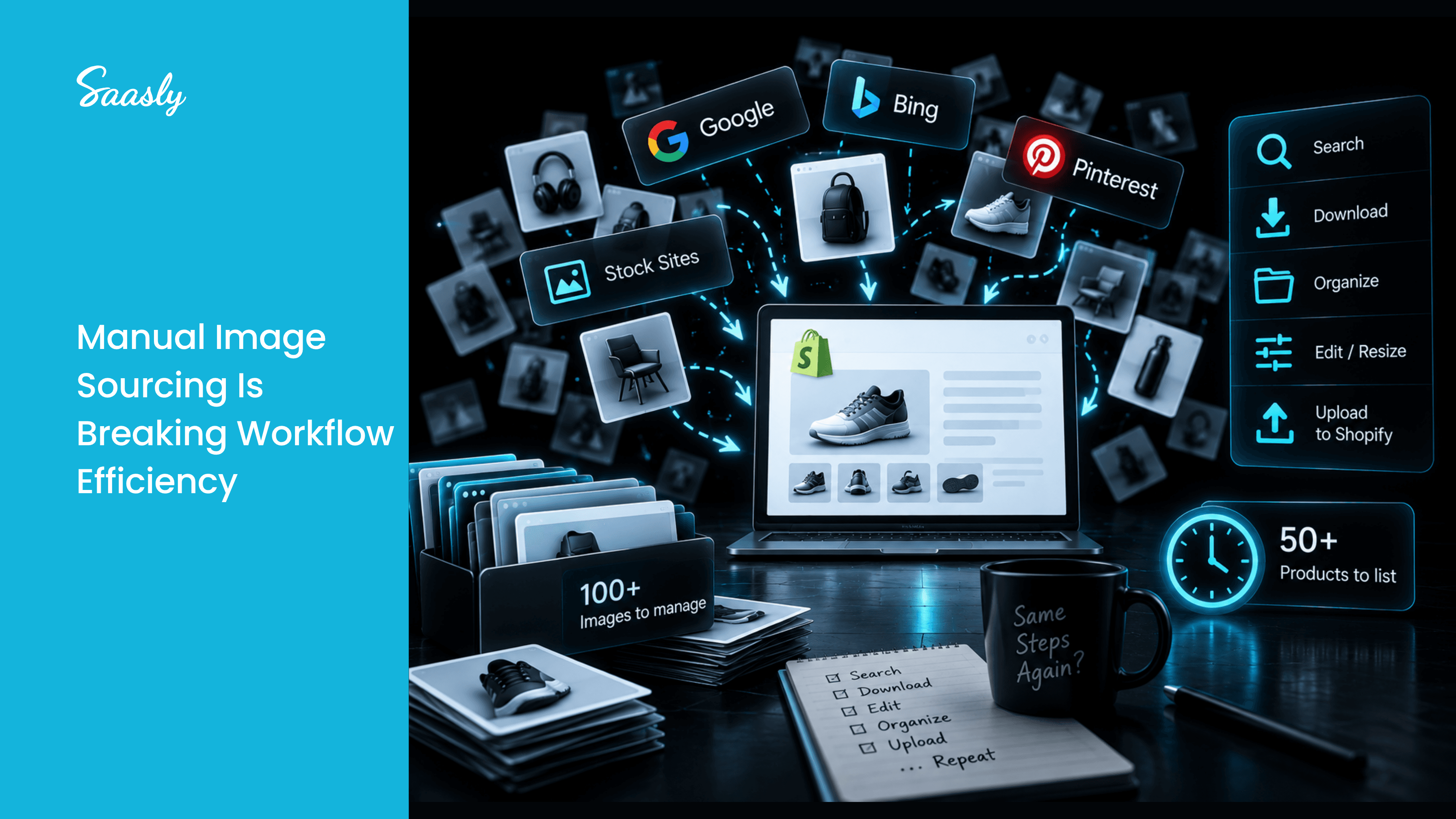
The challenge is finding suitable images consistently—especially when you're adding dozens or hundreds of products.
What Makes a Product Image Look Professional?
Before searching for images, it helps to understand what you're actually looking for.
1. Clear and High-Quality Images
Customers should be able to see the product clearly. Avoid images that are heavily pixelated, blurry, or difficult to understand.
2. Relevant Product Representation
The image should accurately represent the product you're selling. An attractive image is not useful if it doesn't match the actual product.
3. Clean Presentation
A simple and uncluttered image can make it easier for shoppers to focus on the product.
4. Consistent Visual Style
If every product in your catalog uses a completely different visual style, your store can feel inconsistent.
Try to maintain similar standards for image quality, framing, and presentation wherever possible.
5. Suitable Dimensions and Format
Your images should work well with your Shopify theme and product-page layout. Large or poorly optimized files can also create unnecessary management and performance challenges.
Where Can You Find Product Images for Shopify?
There isn't one universal source that works for every merchant. Your choice depends on your business model and the type of products you sell.
Use Your Own Product Photography
For brands manufacturing or physically stocking products, original photography gives you the greatest control over how products are presented.
However, professional photography can require equipment, time, editing, and budget.
Get Images From Suppliers
Dropshipping merchants and resellers may receive product images from suppliers. This can be convenient, but the images may not always match the visual quality you want for your store.
Search the Web for Suitable Product Images
Another option is to search online for relevant product photos.
The problem?
Searching manually can quickly become repetitive.
You may need to:
Search → open multiple websites → compare images → download → organize → upload to Shopify
When you're doing this for one product, it may be manageable.
When you're doing it for an entire catalog, the time adds up.
The Hidden Time Cost of Finding Product Images
Imagine you're adding 50 new products to your Shopify store.
If finding and preparing an image takes only a few minutes per product, you're already spending hours on an activity that isn't directly creating the product itself.
And the process doesn't stop when your catalog grows.
More products mean:
- More images to find
- More files to organize
- More product listings to update
- More repetitive browser searches
- More manual uploads
For growing Shopify stores, image sourcing can become an overlooked bottleneck in the product-listing workflow.
That's why merchants should look beyond simply finding an image and think about how they can make the entire process more efficient.
How to Find Product Images Faster
A better workflow starts by reducing unnecessary manual steps.
Instead of searching for every product individually across multiple websites, look for tools that can help you discover relevant images, compare options, and move suitable images into your Shopify workflow.
This is where Product Image Finder by Saasly can help.
The app is designed for Shopify merchants who want to find suitable product images without spending excessive time searching manually.
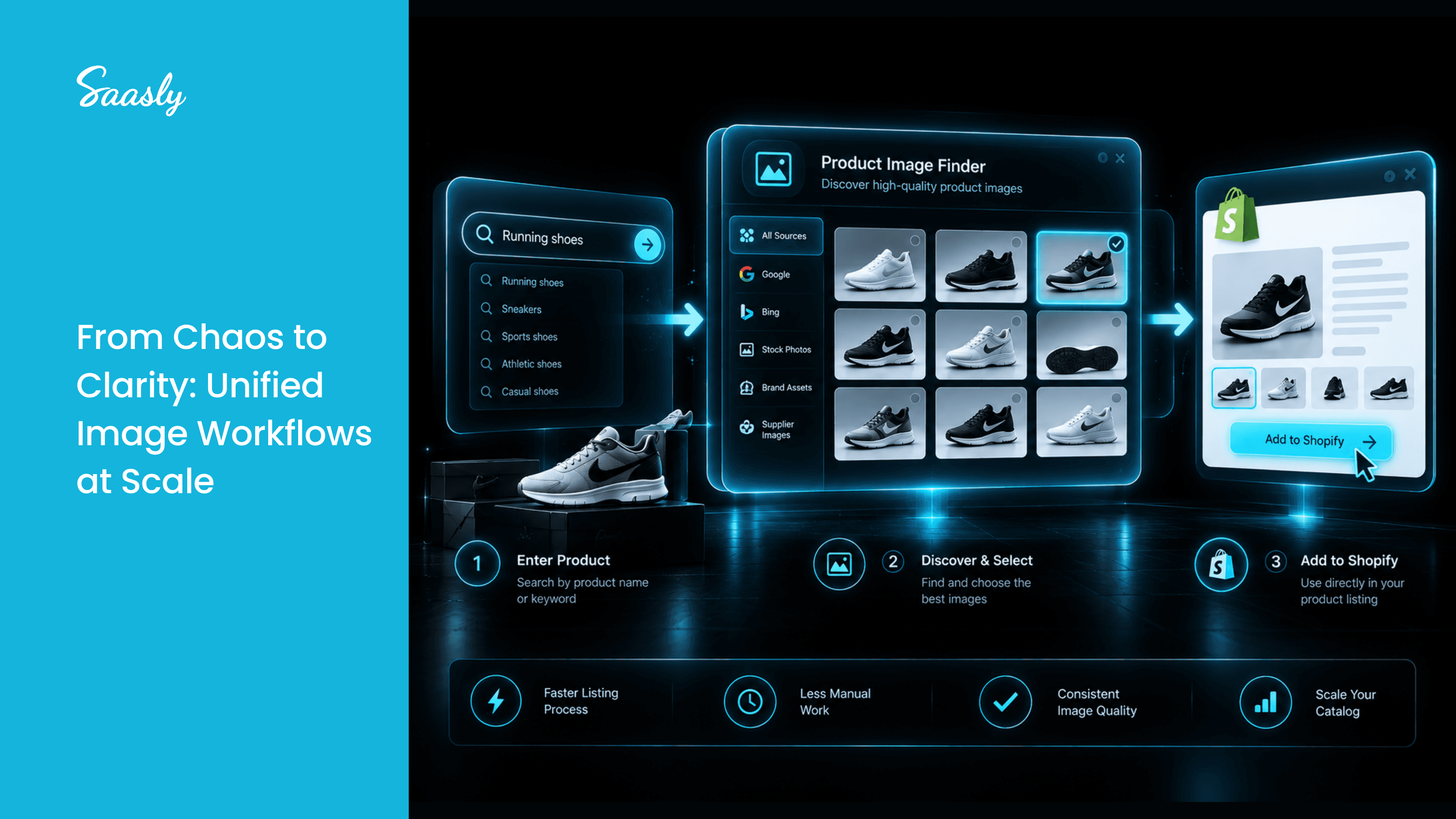
You can enter a product name and search for relevant images from across the web. You can then preview the results, compare available options, and select an image for your product listing.
The selected image can be added directly to your Shopify product, reducing the need to repeatedly switch between image searches, downloads, and your Shopify admin.
Product Image Finder: A Simpler Image-Sourcing Workflow
With Product Image Finder, the process becomes more straightforward:
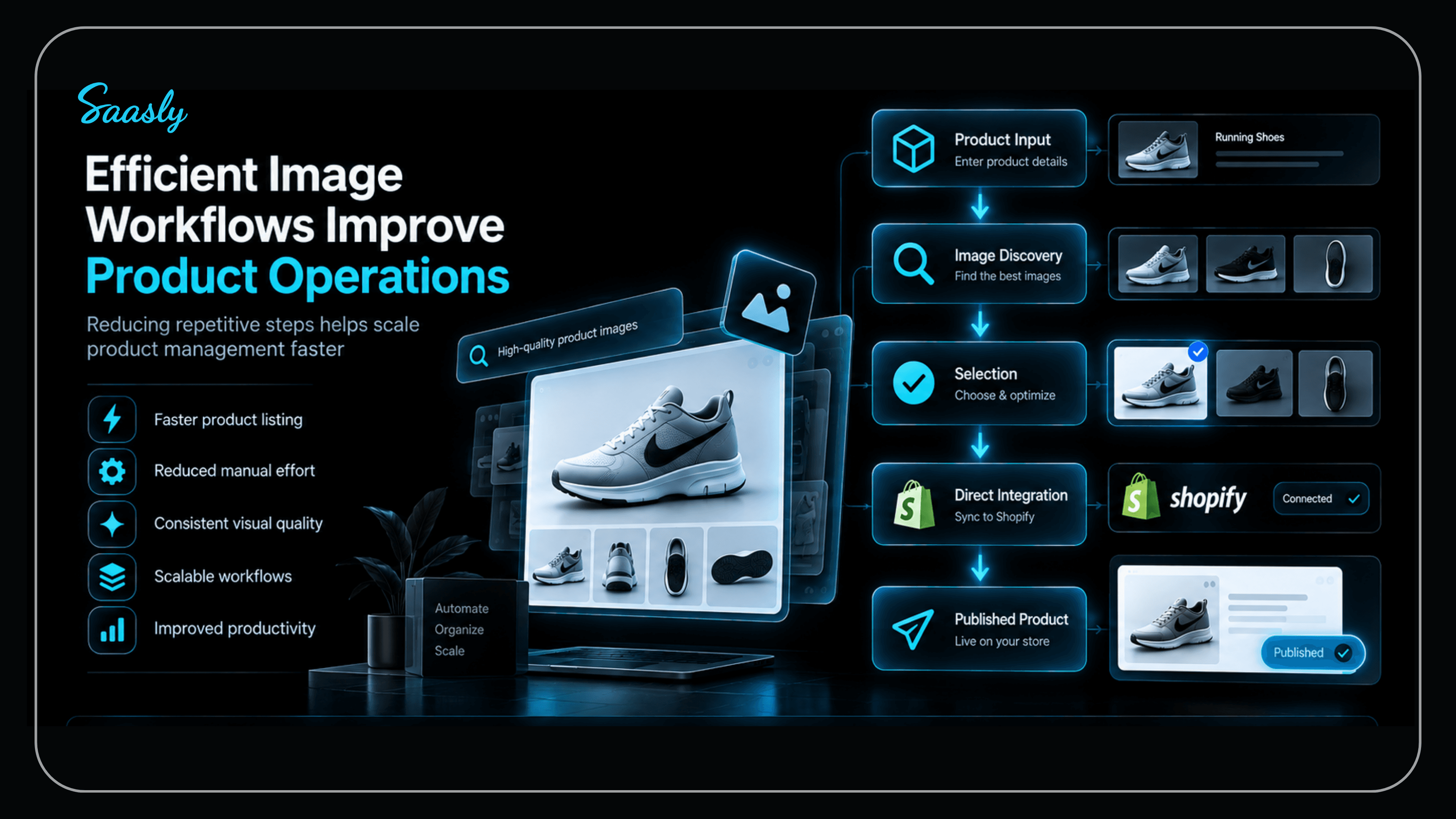
Enter your product → Search for images → Review the results → Select an image → Add it to your Shopify product
The app also supports multiple searches at once, allowing results to be handled in a queue.
Instead of treating image sourcing as a separate manual task, you can bring the process closer to your existing product-listing workflow.
For merchants managing a large catalog, this can be especially useful when adding new products regularly.
Who Can Benefit From Faster Product Image Sourcing?
Product Image Finder can be particularly useful for:
- Shopify store owners
- Dropshipping merchants
- Small ecommerce businesses
- Startups launching online stores
- DTC brands expanding their catalog
- Ecommerce marketers managing product content
- Merchants adding products frequently
The goal isn't simply to find more images.
It's to make the process of finding and adding suitable product images less repetitive.
Build a Better Shopify Product Listing Workflow
Professional product images don't necessarily require a complicated process.
The key is to have a repeatable workflow for finding, evaluating, and adding suitable images to your product listings.
Start by asking:
Is the image relevant?
Is the quality good enough?
Does it fit the visual style of my store?
Can I use it appropriately?
How much time am I spending finding it?
That last question is easy to overlook.
As your Shopify catalog grows, saving a few minutes on every product can make a meaningful difference to your overall workflow.
Conclusion
Finding professional product images for your Shopify store doesn't have to become an endless cycle of browser searches, downloads, and manual uploads.
The right approach is to combine good image-selection practices with a faster sourcing workflow.
Focus on image quality, relevance, consistency, and suitability for your product pages. Then look for ways to reduce repetitive work as your catalog grows.
For Shopify merchants who frequently need product images, Product Image Finder by Saasly provides a simpler way to search for images, preview options, and add selected images directly to Shopify product listings.
When adding products becomes faster, you have more time to focus on what matters next—building and growing your store.
Need Help Improving Your Shopify Product Listing Workflow?
Finding the right product images shouldn't slow down your Shopify store. If you're looking for a faster way to manage product content or want to explore solutions tailored to your ecommerce workflow, talk to the Saasly team.
Have questions about Product Image Finder or need help with your Shopify workflow? Get in touch with us today.
FAQs
How can I find professional product images for Shopify?
You can use your own product photography, supplier images, or search the web for suitable product photos. Image-finding tools can also help simplify the search and selection process.
What makes a good Shopify product image?
A good product image should be clear, relevant, high-quality, and suitable for your product page. Maintaining a consistent visual style across your catalog can also improve the overall appearance of your store.
Can I use images I find online for my Shopify store?
Not every image found online is automatically free to use. Always check the image's licensing and usage rights before adding it to a commercial store.
How can I find product images faster?
Instead of manually searching, downloading, and uploading images for every product, use a workflow or tool that combines image discovery and product management to reduce repetitive steps.
Is Product Image Finder useful for dropshipping stores?
It can be useful for dropshipping merchants who frequently need to find product images while creating or expanding their Shopify catalog. The app allows merchants to search for images and add selected images directly to Shopify product listings.