

Back
Freshworks Marketplace Platform v3.0: How to Prepare for App Migration

Abinaya
- September 16, 2026
8 min read

Introduction
Your Freshworks Marketplace app may be working perfectly today. Your customers may be using it every day, your support team may depend on it, and your development team may have already invested significant effort into building it.
But what happens when the platform underneath your app changes?
Marketplace applications depend on the development framework, runtime, configurations, APIs, and capabilities provided by Freshworks. As these components evolve, existing applications may need to be reviewed and migrated to remain aligned with the latest platform.
That's where Freshworks Marketplace Platform v3.0 becomes important.
Freshworks explains that its app development platform and FDK are continuously upgraded to improve the development environment and enable developers to build secure apps. While many upgrades are handled automatically, some require developers to manually migrate their applications. The official migration guide provides the process for moving apps built on Platform 2.3 to Platform 3.0.
For app owners, this raises a simple question:
Is your Marketplace app ready for the next stage of the platform?
What Is Freshworks Marketplace Platform v3.0?
Freshworks Marketplace Platform v3.0 is the newer platform environment for developing and maintaining Freshworks applications.
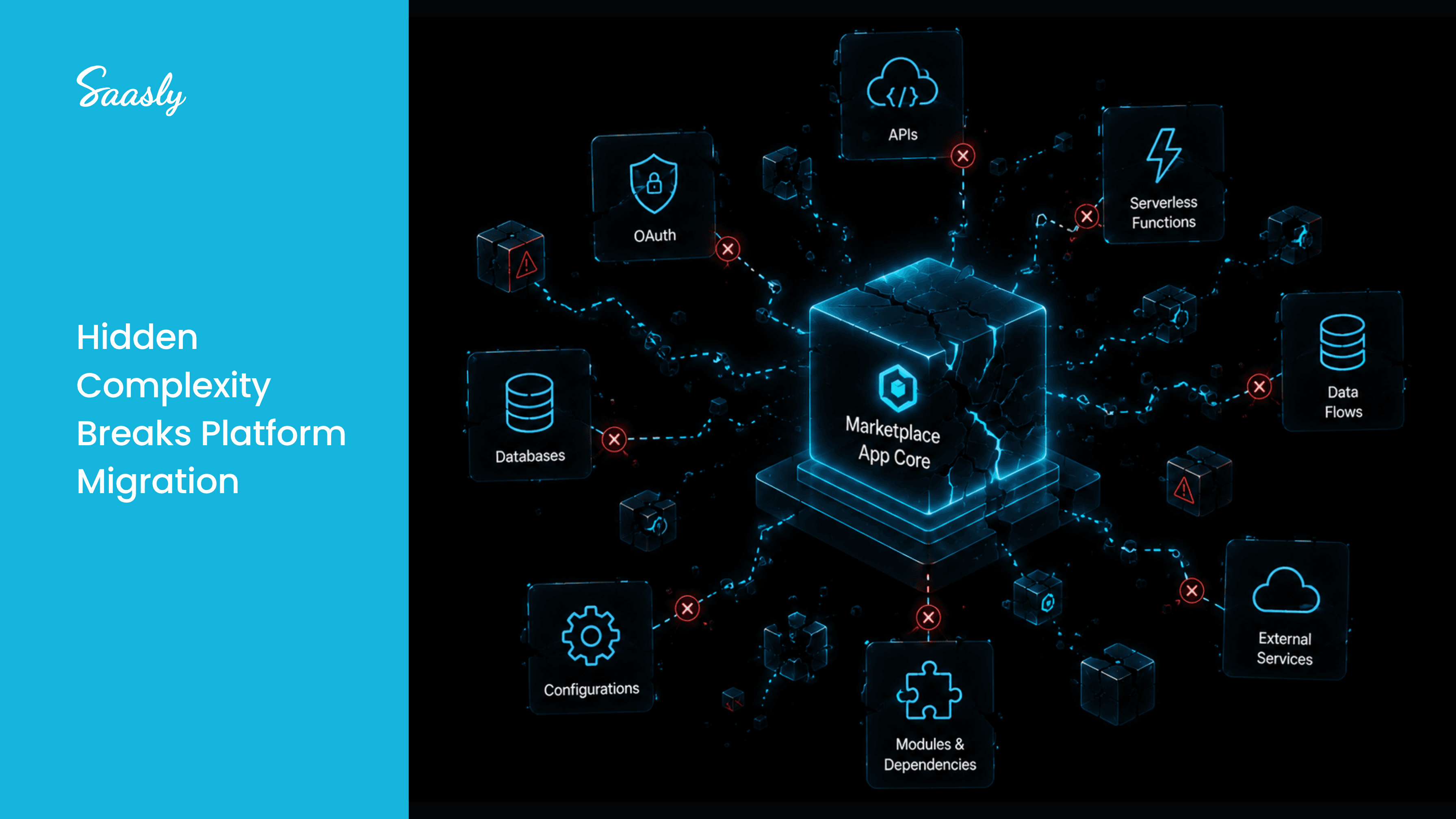
Migration isn't simply about changing a version number. Depending on how your application was built, developers may need to review the application's FDK and Node.js versions, manifest configuration, modules, request templates, serverless events, SMI functions, front-end code, IPARAMS, OAuth configurations, and other platform-specific components.
If you are planning a migration, the official Freshworks Marketplace Platform v3.0 Migration Guide should be your primary technical reference.
The important takeaway for businesses is this:
Platform migration should be treated as an application lifecycle activity, not just a version update.
Why Freshworks Marketplace App Migration Matters
A Marketplace app isn't a one-time development project.
A sustainable application lifecycle looks more like:
Build → Publish → Monitor → Update → Test → Maintain → Modernize
If your application relies on an older platform version or development environment, your team should understand what needs to change before beginning the migration.
The migration guide, for example, provides a compatibility map between FDK and Node.js versions. It lists Node.js 24.x for FDK 10.0.0 or later, while older Node.js versions have reached or are approaching their deprecation timelines.
This makes the development environment an important part of any migration assessment.
What Should You Review Before Migrating?
1. FDK and Node.js Versions
Start by identifying the FDK and Node.js versions used by your application.
An outdated development environment may require an upgrade before you can fully migrate the application to the newer platform.
2. Manifest Configuration
The migration guide requires applications moving to Platform 3.0 to update the platform-version value in manifest.json.
Depending on the app, developers may also need to remove the existing product attribute and configure the appropriate modules structure.
This is particularly important for applications that use multiple modules or global app capabilities.
3. Request Templates
If your application makes secure HTTP calls to third-party domains, the migration process requires request templates to be configured in the manifest and aligned with the application's request configuration.
For integration-heavy apps, this deserves careful testing because external API communication can be critical to the application's core functionality.
4. Serverless Events and SMI Functions
Applications using serverless functionality may need to register common events and product-specific events in the appropriate module configuration.
Serverless SMI apps also need their SMI functions allowlisted under the relevant configuration.
These changes demonstrate why migration should begin with an architecture review rather than immediately changing code.
5. Front-End and Host Information
Platform 3.0 also introduces changes developers need to consider in front-end code.
For example, applications using the older domainName data method need to move toward currentHost. The migration guide explains that currentHost can provide information such as subscribed modules, endpoint URLs, and organization domain information.
Understanding these changes is important when modernizing an existing application.
Platform 3.0 Can Also Support More Flexible App Architecture
Migration isn't only about fixing compatibility issues.
Freshworks Platform 3.0 provides capabilities that can support broader application architectures.
The migration guide explains how existing apps can be configured as global apps and how developers can modularize applications based on supported product modules.
Platform 3.0 also supports multiple OAuth configurations, allowing an application to access up to three OAuth-secured resources under the documented configuration.
For businesses building integration-focused Marketplace apps, these capabilities can be particularly relevant when an application needs to work across multiple modules or interact with multiple external services.
Why Integration-Heavy Apps Need Careful Testing
Imagine your Marketplace application connects Freshworks with a CRM, payment platform, project management system, or another business application.
Behind the interface, the app may depend on:
- API requests
- Authentication
- Request templates
- Serverless functions
- OAuth configurations
- Runtime dependencies
- Product-specific events
A migration may therefore affect more than the application's visible interface.
That's why testing should focus on the complete business workflow, not simply whether the app installs successfully.
Test the actions your customers actually depend on:
Authenticate → Retrieve data → Process request → Connect external system → Complete workflow
A technically successful migration isn't enough if the business process no longer works as expected.
A Practical Freshworks App Migration Approach
Instead of treating migration as:
Update → Upload → Done
use a structured approach:
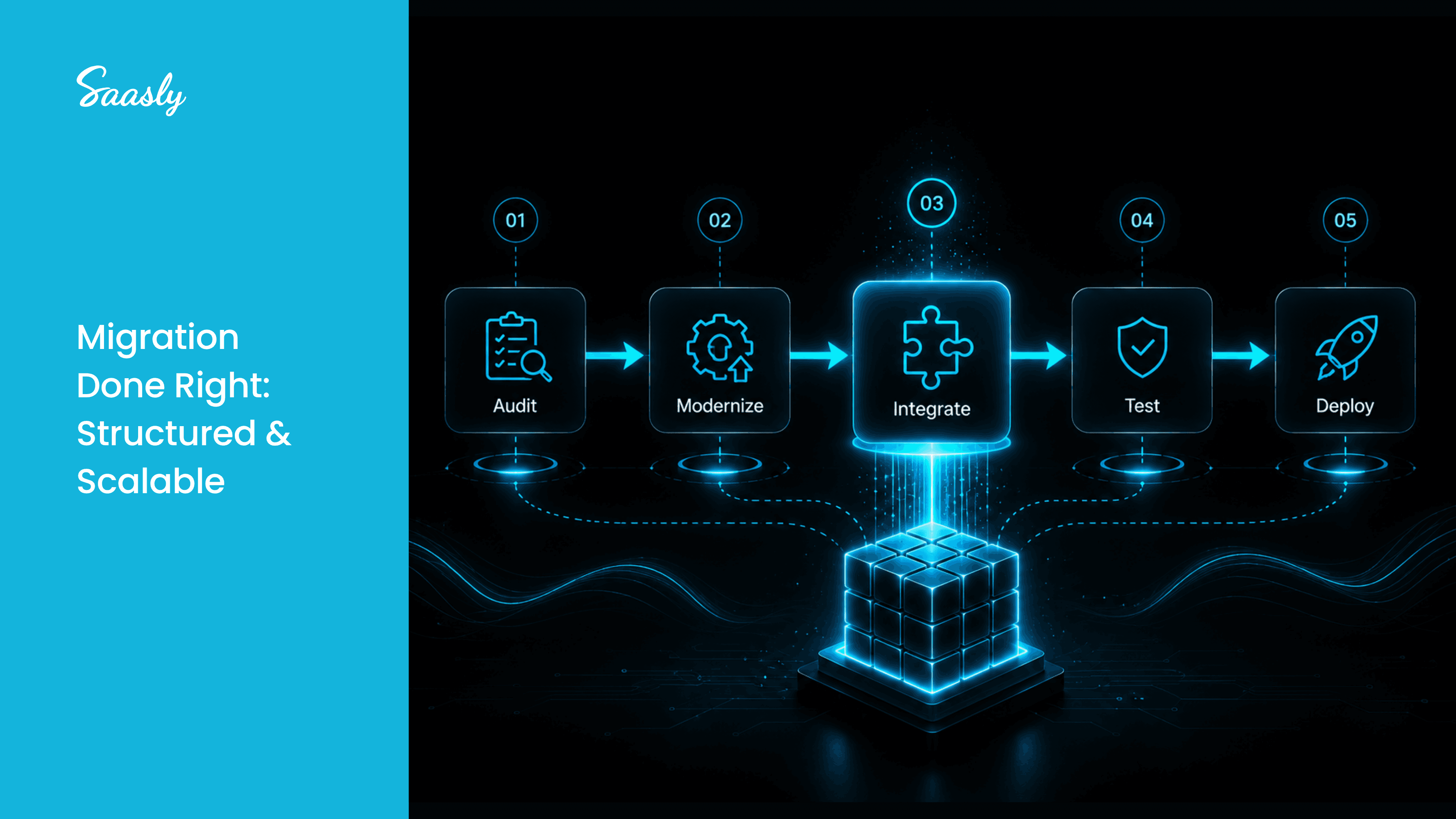
Audit
Understand your current platform, architecture, dependencies, modules, and integrations.
Identify
Map the existing implementation against the Platform 3.0 migration requirements.
Modernize
Update the components that require changes and address unnecessary technical debt where appropriate.
Test
Validate front-end functionality, serverless workflows, APIs, authentication, and external integrations.
Deploy
Release the updated application only after the critical workflows have been validated.
Maintain
Continue monitoring platform changes so future updates don't become unexpected migration projects.
How Saasly Can Help
At Saasly, we work with businesses that need to build, extend, and maintain Marketplace applications and integrations.
Our focus isn't only on creating an application that works today. We help businesses approach Marketplace development with long-term maintainability in mind.
Saasly can support businesses with:
- Freshworks Marketplace app development
- Existing app modernization
- Platform migration support
- Custom integrations
- Third-party API integrations
If you already have a Freshworks Marketplace application, the first step isn't necessarily rebuilding it.
It may simply be understanding where your application stands today, what Platform 3.0 requires, and which components need attention.
That assessment can help you create a more practical migration and modernization plan.
Conclusion
The move to Freshworks Marketplace Platform v3.0 is an important reminder that Marketplace applications need to evolve alongside the platforms they depend on.
Migration can involve much more than changing a platform version. Depending on your application, your development team may need to review the FDK and Node.js environment, manifest configuration, modules, request templates, serverless functionality, SMI functions, front-end code, OAuth configurations, and integrations.
The good news is that migration can also be an opportunity.
Instead of simply moving an older application to a newer platform, businesses can use the process to review their architecture, reduce technical debt, improve maintainability, and prepare the application for future development.
If you're planning a Freshworks Marketplace app migration or building a new integration, Saasly can help you evaluate the technical requirements and create a practical path forward.
Build smarter. Modernize when needed. Stay ready for what's next.
Explore Saasly Marketplace App Development
Learn how Saasly can help you build and extend Marketplace applications and integrations for modern customer-support ecosystems.
Explore Saasly: saasly.in/apps
FAQs
1. What is Freshworks Marketplace Platform v3.0?
It is the newer Freshworks app development platform that provides updated capabilities and a migration path for applications built on earlier platform versions.
2. Do existing apps need to migrate to Platform 3.0?
Apps built on Platform 2.3 can be migrated to Platform 3.0. The exact migration work depends on the application's architecture and features.
3. What needs to be checked during migration?
Developers may need to review FDK and Node.js versions, manifest.json, modules, request templates, serverless events, SMI functions, front-end code, IPARAMS, OAuth configurations, and dynamic endpoint handling.
4. Can Saasly help with Freshworks app migration?
Yes. Saasly can support businesses with Marketplace app development, modernization, integrations, migration-related development, and ongoing application maintenance.
5. Where can I find the official migration documentation?
You can refer to the official Freshworks Marketplace Platform v3.0 Migration Guide for the detailed technical migration requirements.