Back

Attachment Manager
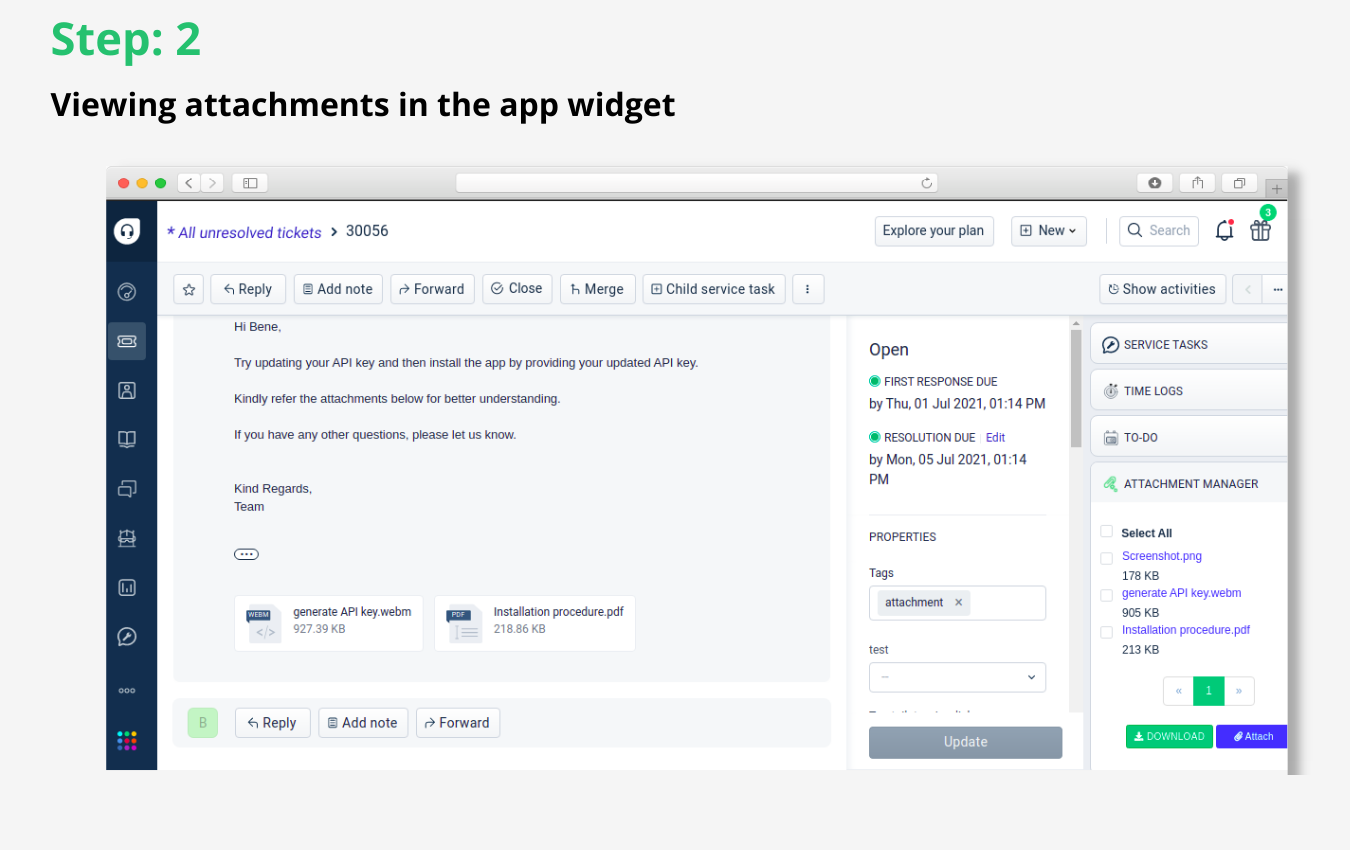
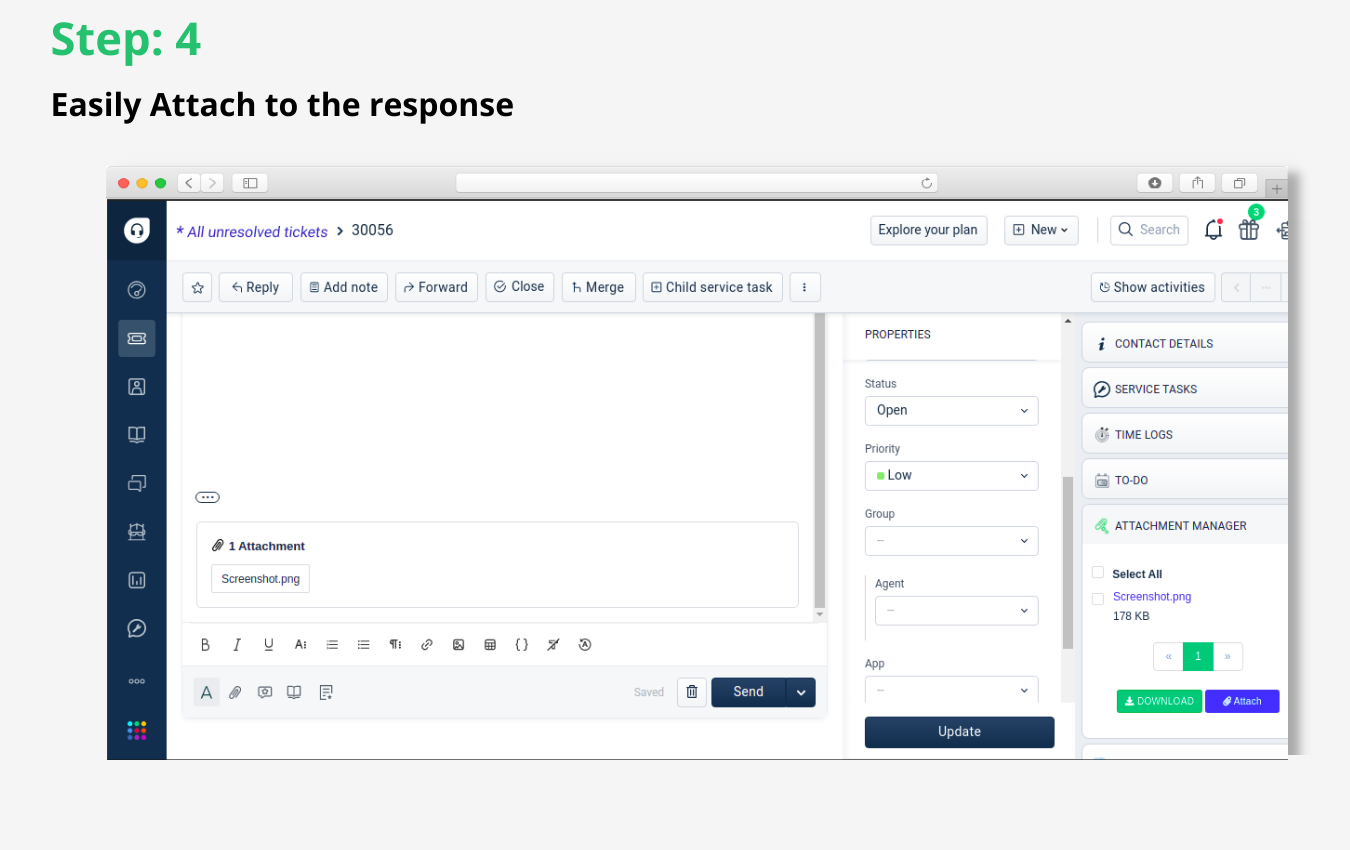
Have complete control over all ticket attachments with this interactive attachments manager widget
FREE
Visit to InstallVerified App
How to Install?
After clicking the install button,
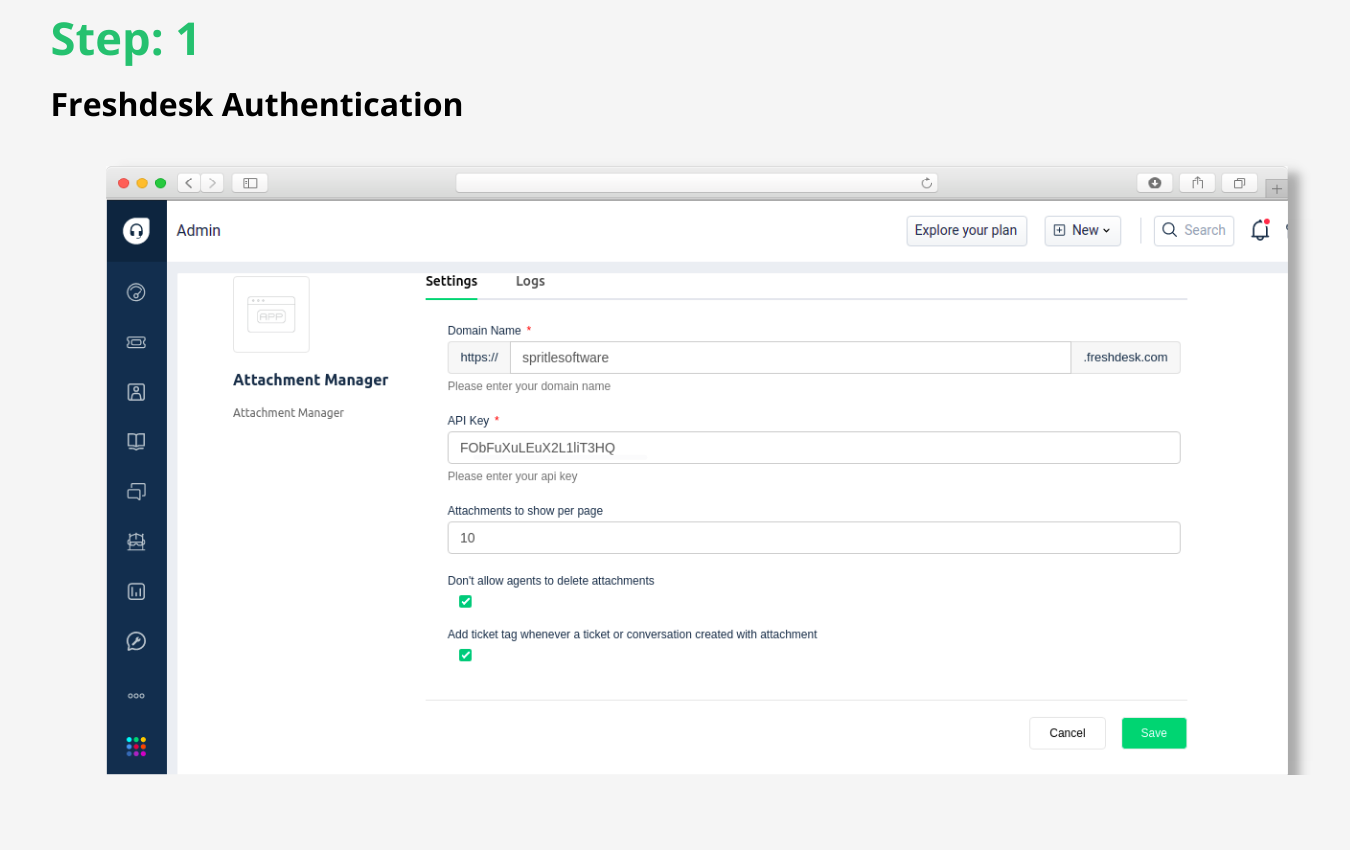
- In the Settings page, you will need to enter your Freshdesk subdomain and API key to authenticate
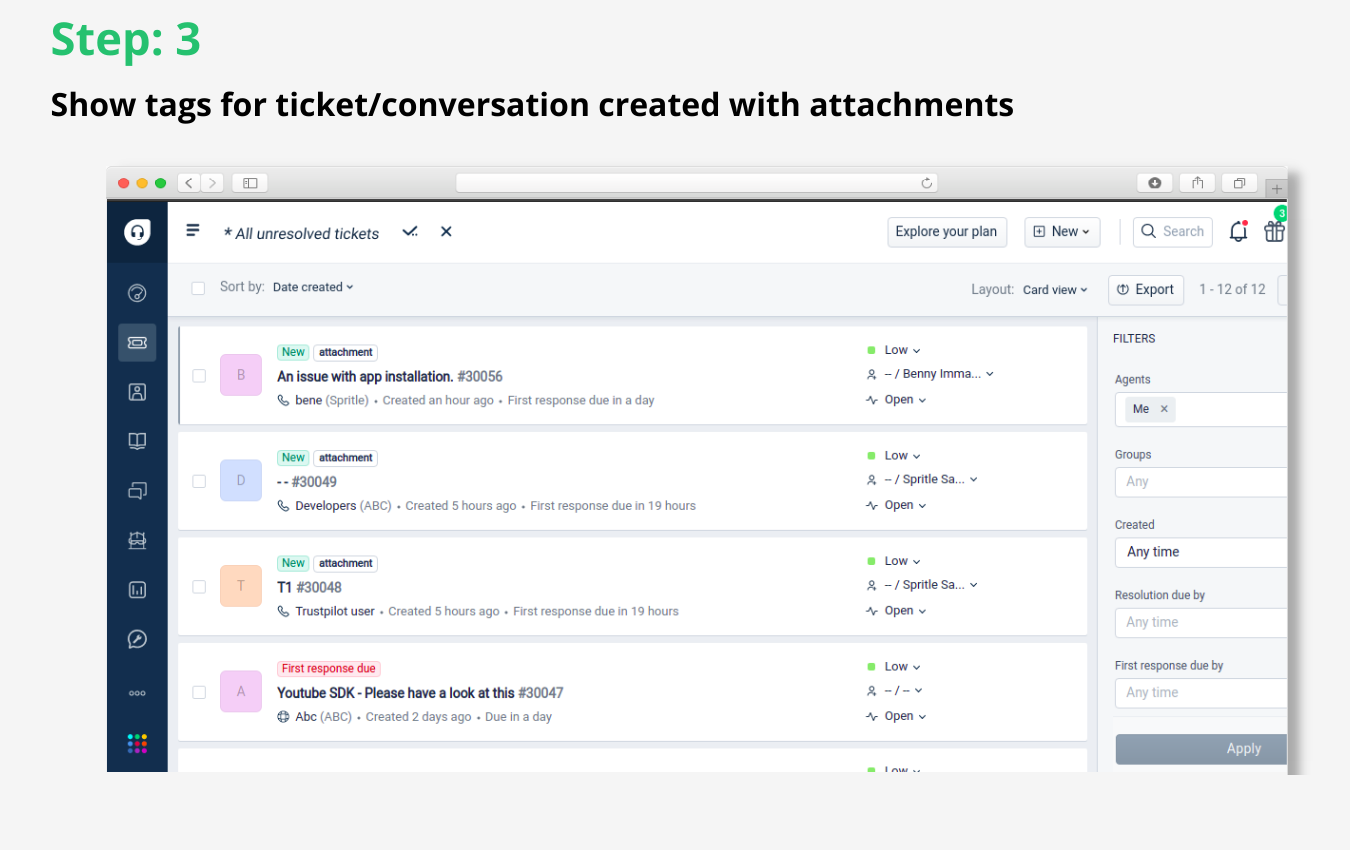
- After the Freshdesk authentication, you will need to check attachments and tags option
- Once that's done, click the Install button to finish the installation
You are now good to go!