Back
Saasly CRM
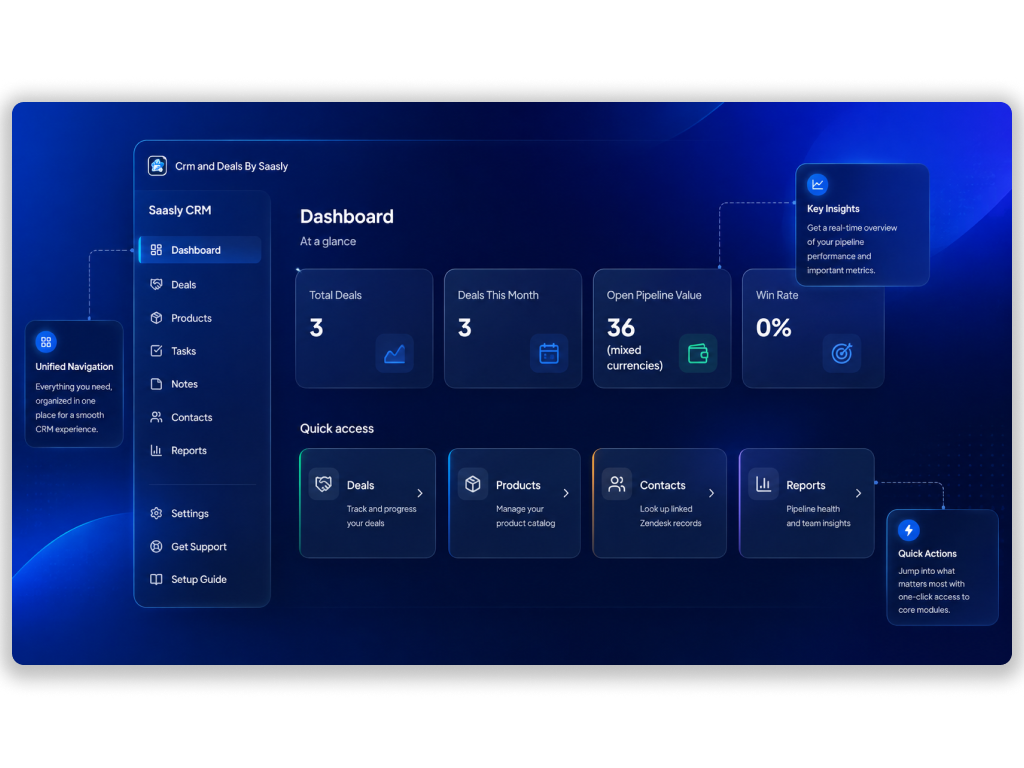
Add Deal and Product management directly inside Zendesk, linked to your existing Contacts, Companies, and Tickets.

Verified App
Short Description:
CRM and Deals — Deal and Product management directly inside Zendesk.
Description :
Spritle Software builds productivity solutions that help support and sales teams automate workflows, improve response efficiency, and deliver better customer experiences through Zendesk integrations.
Overview:
Zendesk Support has no native CRM or deal-management functionality — CRM and Deals fills that gap, adding Deal and Product management directly inside Zendesk. It links to your existing Zendesk Contacts, Companies, and Tickets instead of duplicating that data, so your sales pipeline stays connected to the conversations your team is already having.
Everything lives in a single app across the Zendesk nav bar, ticket sidebar, and modal views — no separate tool, no context switching.
Key Features:
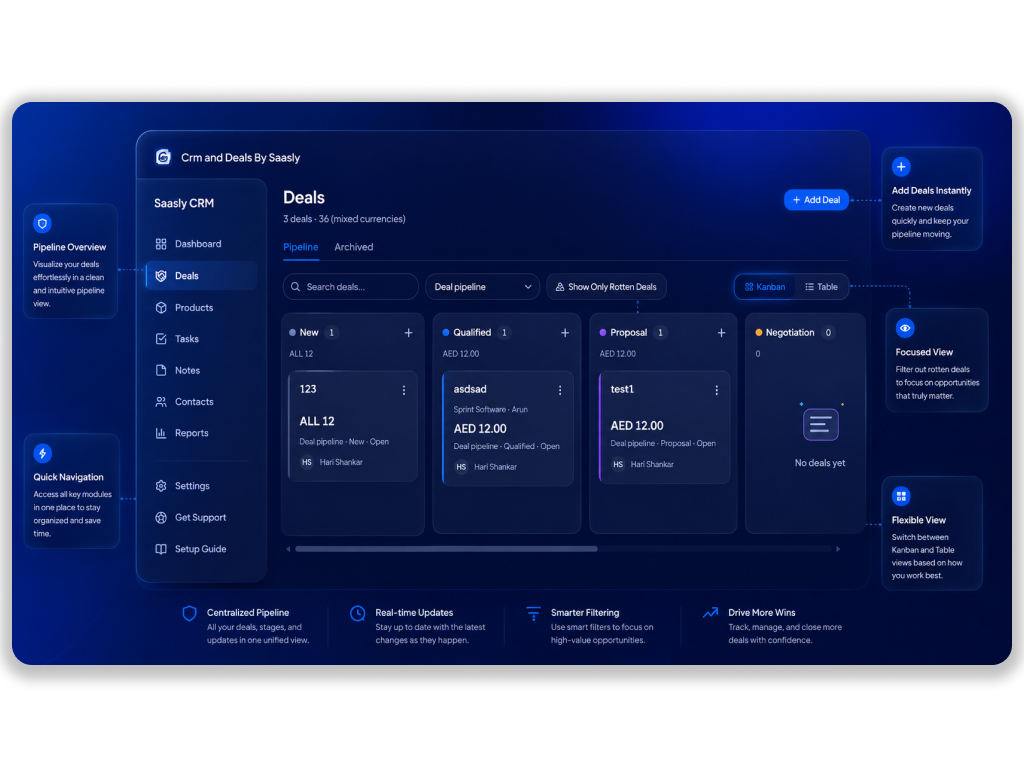
- Kanban (drag-and-drop) and Table views for moving Deals through pipeline stages
- Multiple pipelines, each with custom stages, per-stage colors, and configurable "rotten deal" expiry flagging
- Product catalog attached to Deals
- Tasks and Notes attached to every Deal for follow-ups and context
- Full activity timeline on every Deal — every field, stage, and owner change logged with old value, new value, who, and when
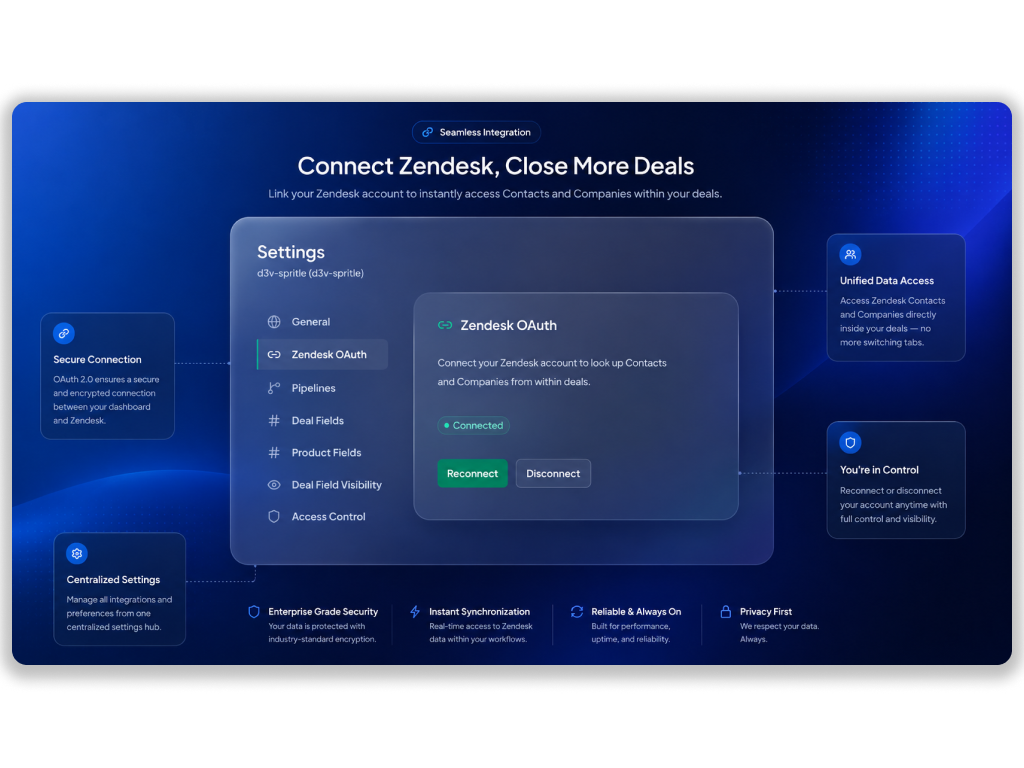
- Live lookups of existing Zendesk Contacts and Companies — no duplicate contact records
- Custom fields on Deals and Products, configurable by Admins
- Role-based Access Control — Admin, Member, and custom roles, scoped per module and even per pipeline
- Reports — win rate, pipeline value, revenue timeline, deals by owner/company, lost reasons — exportable as CSV or PDF
- Archive and Recycle Bin for Deals, fully recoverable
- Free and Pro plans — Free covers one pipeline and up to 2 custom fields per module; Pro removes all limits
Benefits:
- Manage your full sales pipeline without ever leaving Zendesk
- Give Managers visibility into team and pipeline performance without adopting a separate tool
- Keep Contacts and Companies as a single source of truth in Zendesk — nothing duplicated or out of sync
- Fine-grained access control so each role only sees and manages what it should
Data Processing & Privacy:
CRM and Deals processes only the information required to provide Deal, Product, Task, Note, and Reports functionality. Depending on the features used, the app may process:
- Zendesk account and subdomain identity
- Zendesk agent/user identity (for role assignment and activity logging)
- Zendesk Contact and Company data (looked up live via your Zendesk OAuth connection, never duplicated or stored separately)
- Deal, Product, Task, and Note content you create within the app
- Custom field values you configure and enter
This information is used solely to provide Deal, Product, Task, Note, and Reports functionality within your Zendesk account. Data is not shared with third parties except as necessary to provide the service.
Requirements:
- Zendesk Support account
- Zendesk OAuth connection (for Contact and Company lookups)
Support:
For installation or configuration assistance, please contact your administrator or the Saasly support team.
App Screenshots: