Back

Infusionsoft CRM
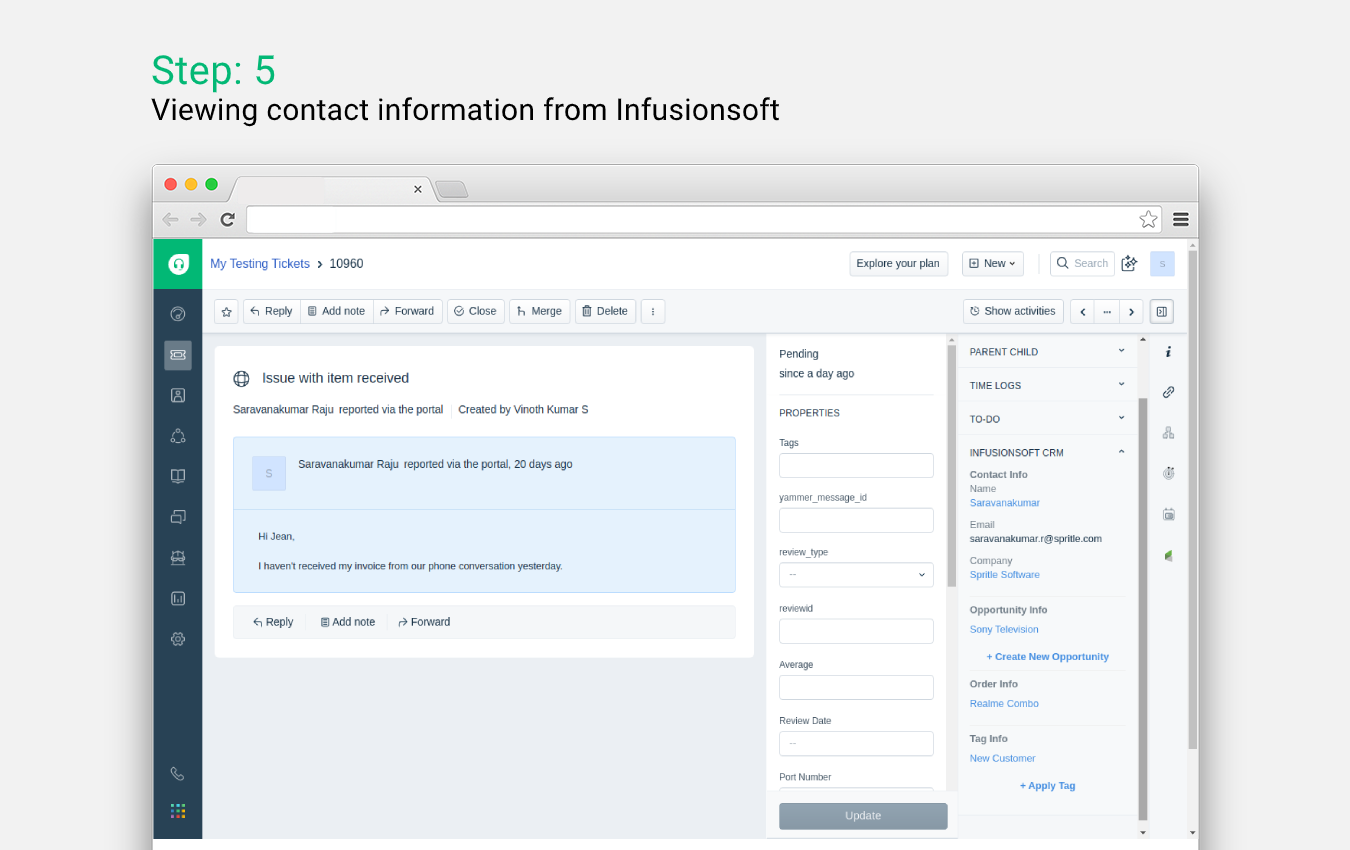
Integrate Infusionsoft with Freshdesk to view relevant details about customers inside Freshdesk.
FREE
Visit to InstallVerified App
How to Install?
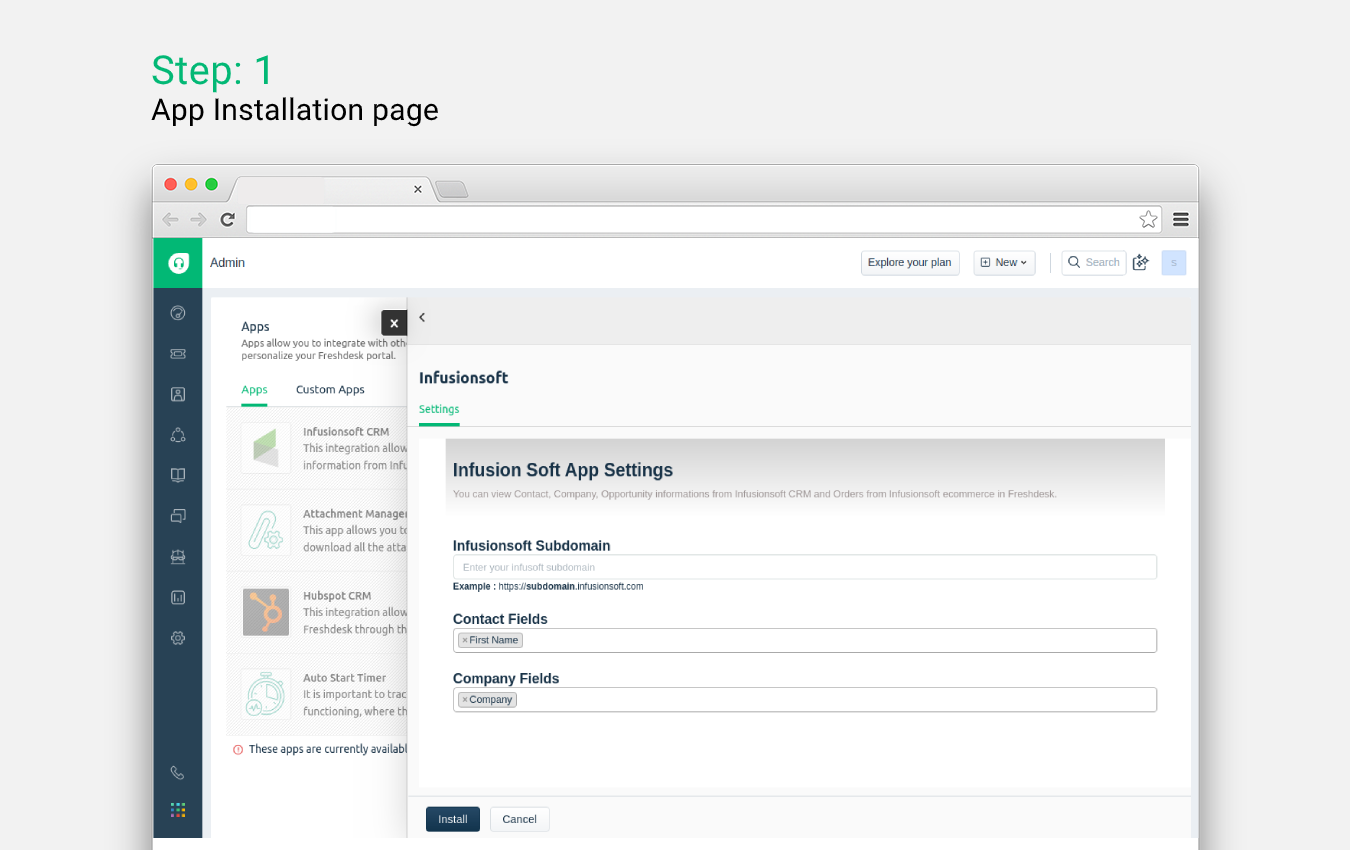
- After clicking on the Install button, you will be redirected to the Infusionsoft page where you will be needed to authenticate yourself with your Infusionsoft account
- Once you are successfully authenticated, you will be redirected back to Freshdesk
- In the Settings page, you will need to enter Infusionsoft subdomain and select Contact and Company fields which are shown in the app widget
- Once that's done, click the Install button to finish the installation
You are now good to go!