
Back

Box for mint
Bring in all the cloud storage features of Box into your Freshdesk account
FREE
Visit to InstallVerified App
How to Install?
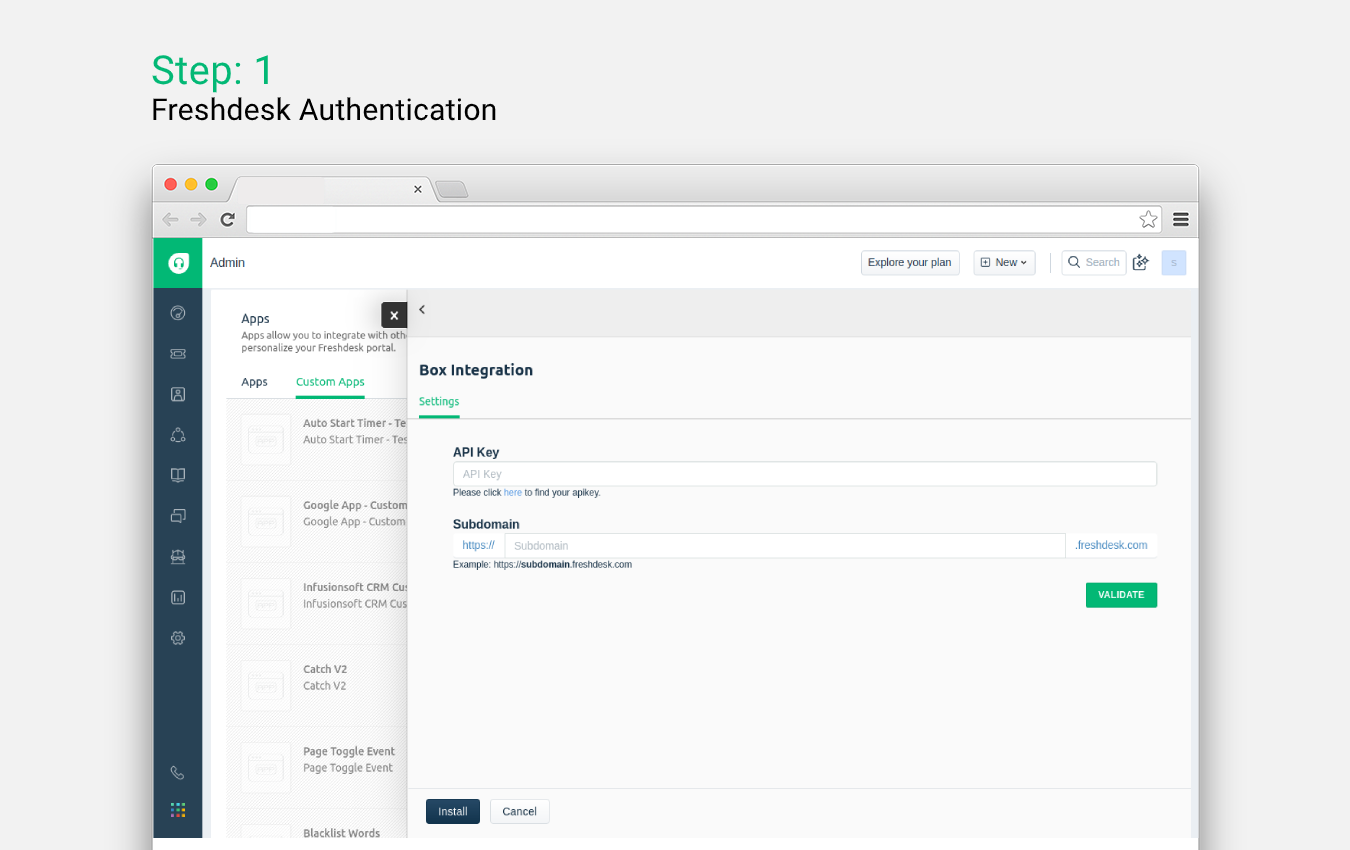
- After clicking the Install button, you will need to enter your Freshdesk subdomain and API key to authenticate with Freshdesk account.
- Once that's done, click the Install button to finish the installation.
- Post successful installation, every agent needs to authenticate their box.com account to use the integration.
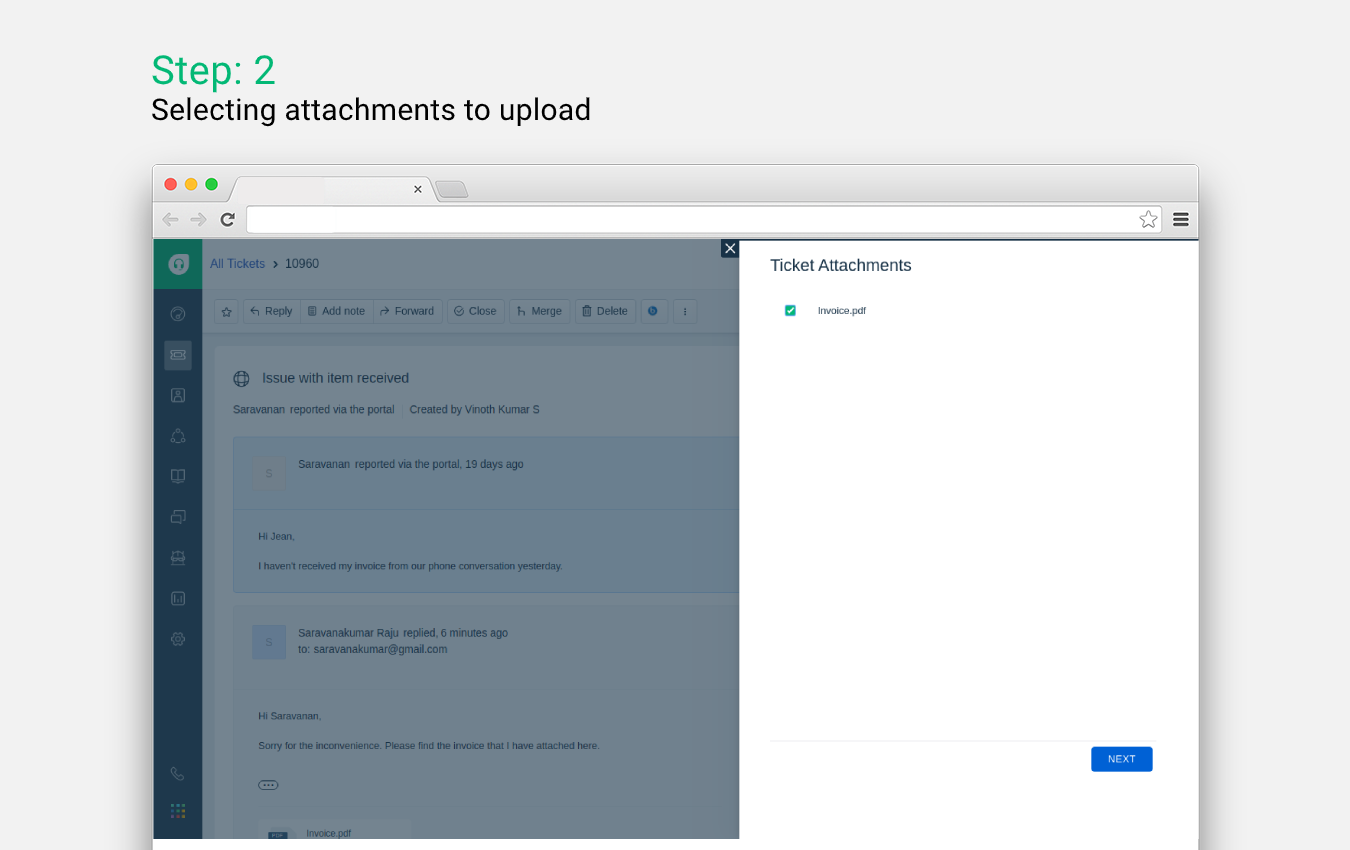
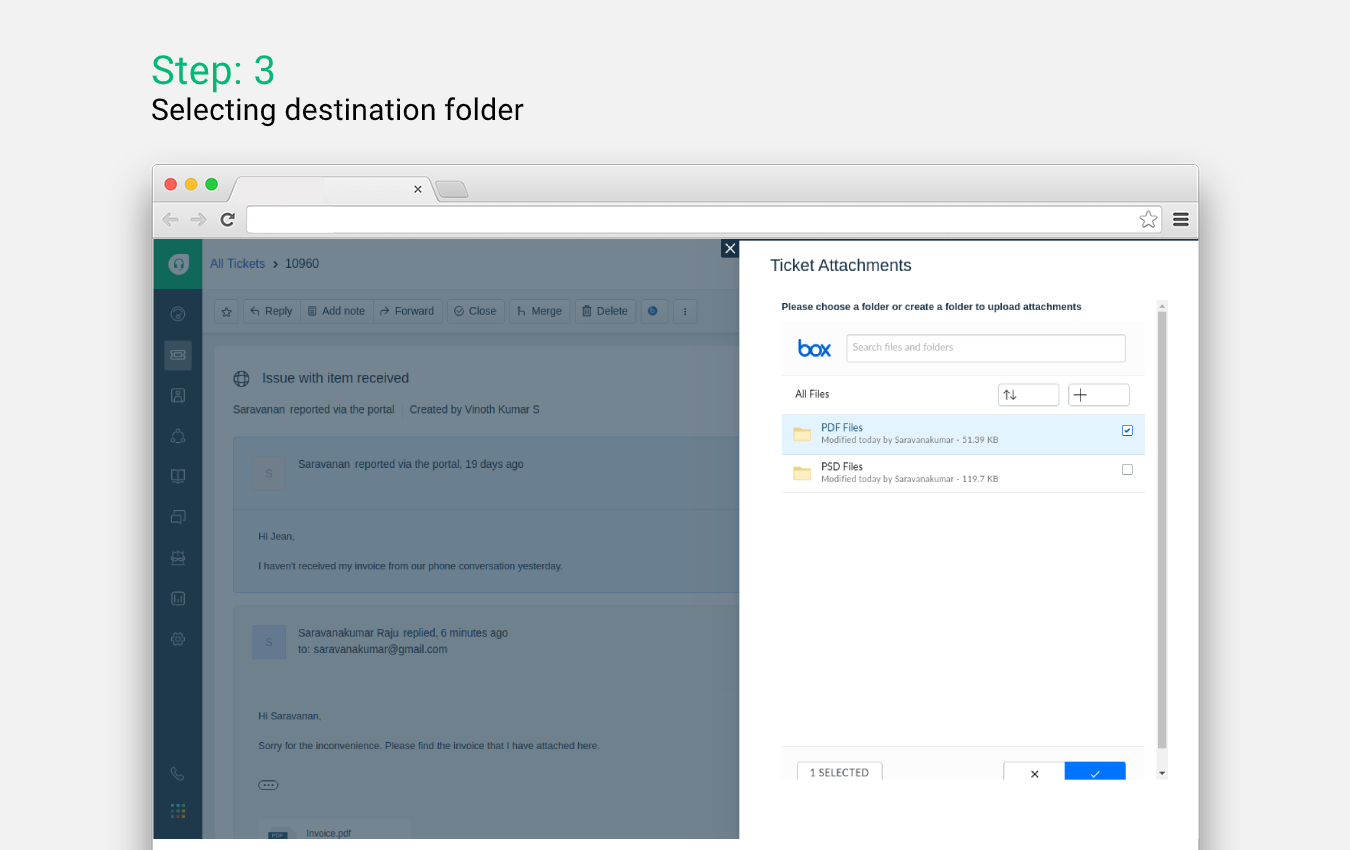
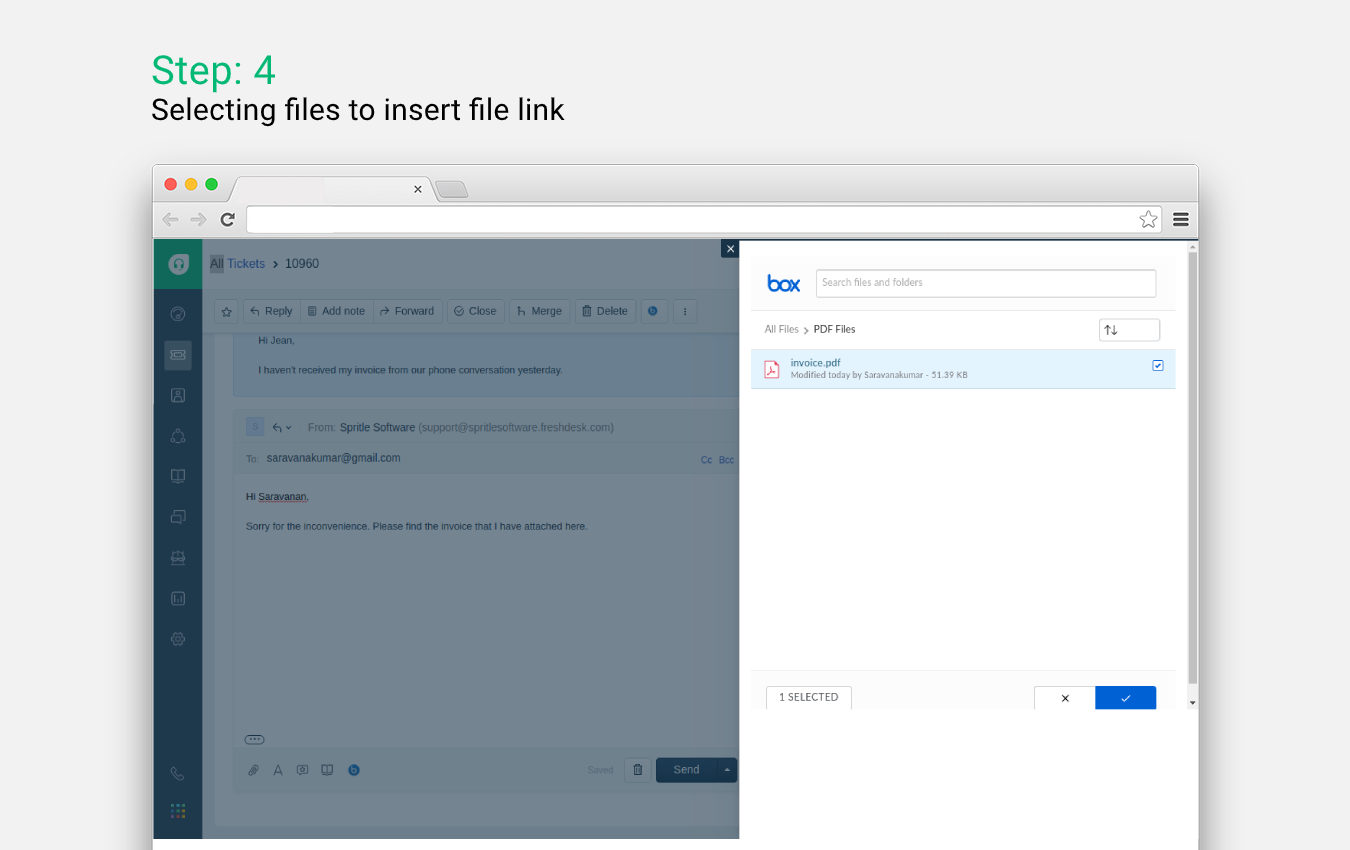
- Once the agents have successfully authenticated their Box account, they will be able to use all the features of the integration.