Back

Transfer Ticket
Seamlessly transfer tickets between Freshservice accounts with ease.

Verified App
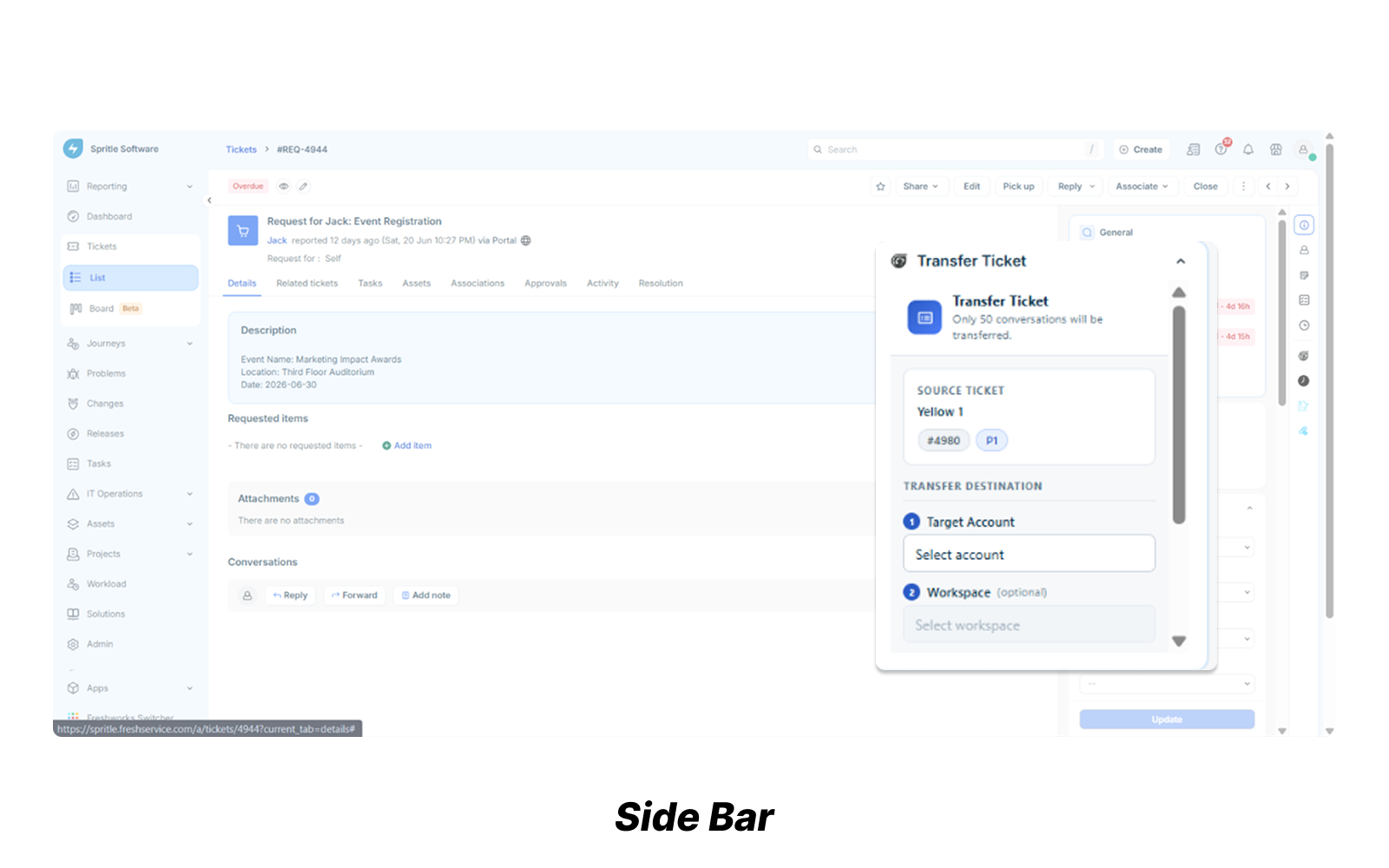
Transfer Ticket is a Freshservice sidebar app that enables agents to transfer tickets and changes between different Freshservice accounts or workspaces without leaving the Freshservice interface.
The Problem:
Freshservice does not natively support moving work items across accounts or workspaces. Organizations managing multiple environments often recreate records manually, copy conversations and attachments, and re-enter metadata, resulting in wasted time, inconsistent data, and increased operational effort.
The Solution:
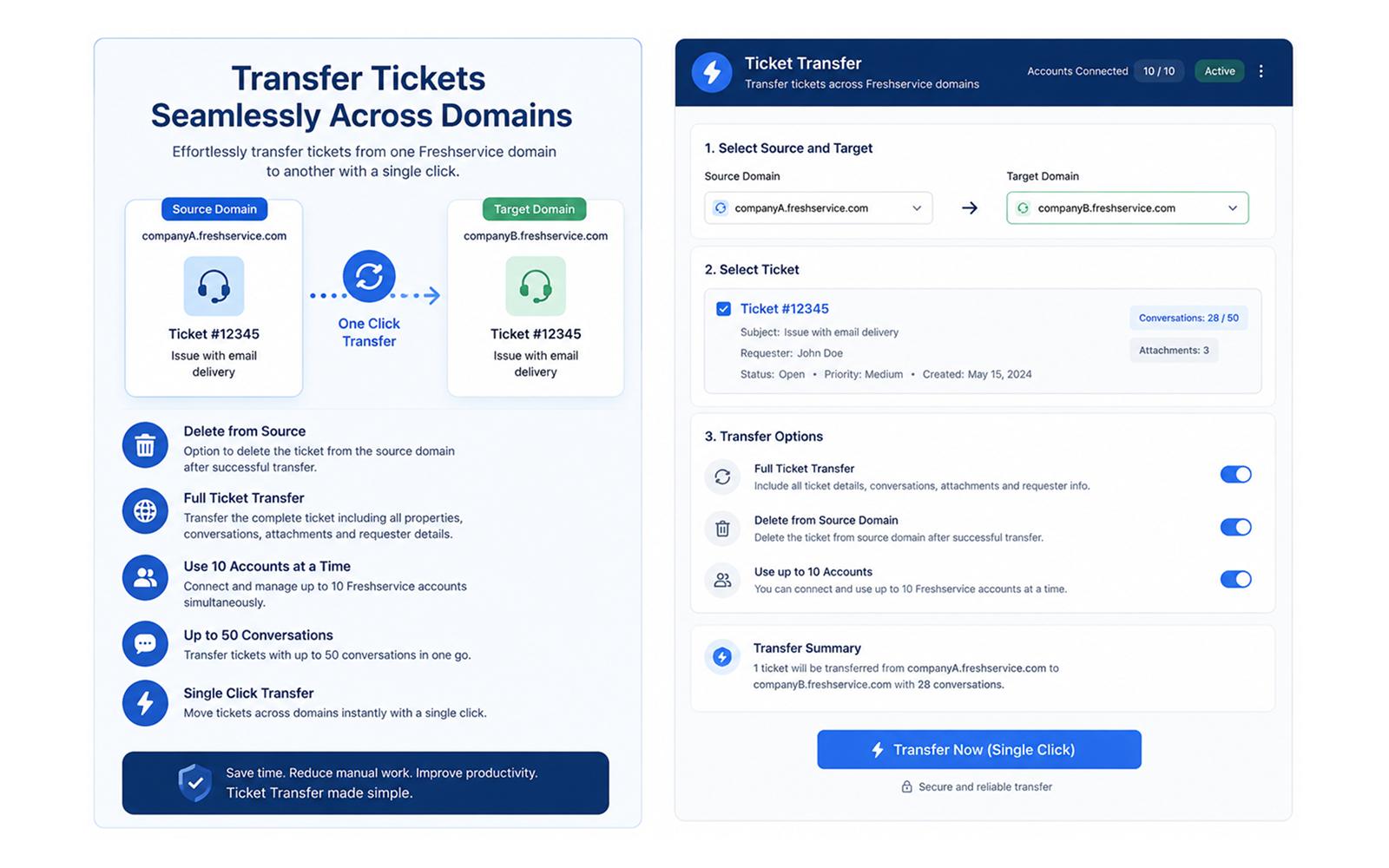
Transfer Ticket automates this process by recreating the selected entity in the destination account while preserving key business information such as metadata, assignments, custom fields, attachments, and, for tickets, conversation history. The app also handles differences in custom field configurations, reducing transfer failures and minimizing manual work.
Business Value:
- Eliminates manual recreation of records.
- Reduces transfer time and human error.
- Preserves ticket context and history.
- Supports multi-account and multi-workspace operations.
- Simplifies migrations, restructures, and cross-team handoffs.
- Works directly inside Freshservice for a seamless agent experience.
Limitations:
- Supports Tickets and Changes only.
- Problems, Projects, Releases, Contracts, and Assets are not supported due to Freshservice platform limitations.
- Transfers up to 50 ticket conversations.
- Major Incident tickets are created as standard incidents because of Freshservice API restrictions.
- Missing mandatory destination custom fields receive placeholder values when no source value exists.
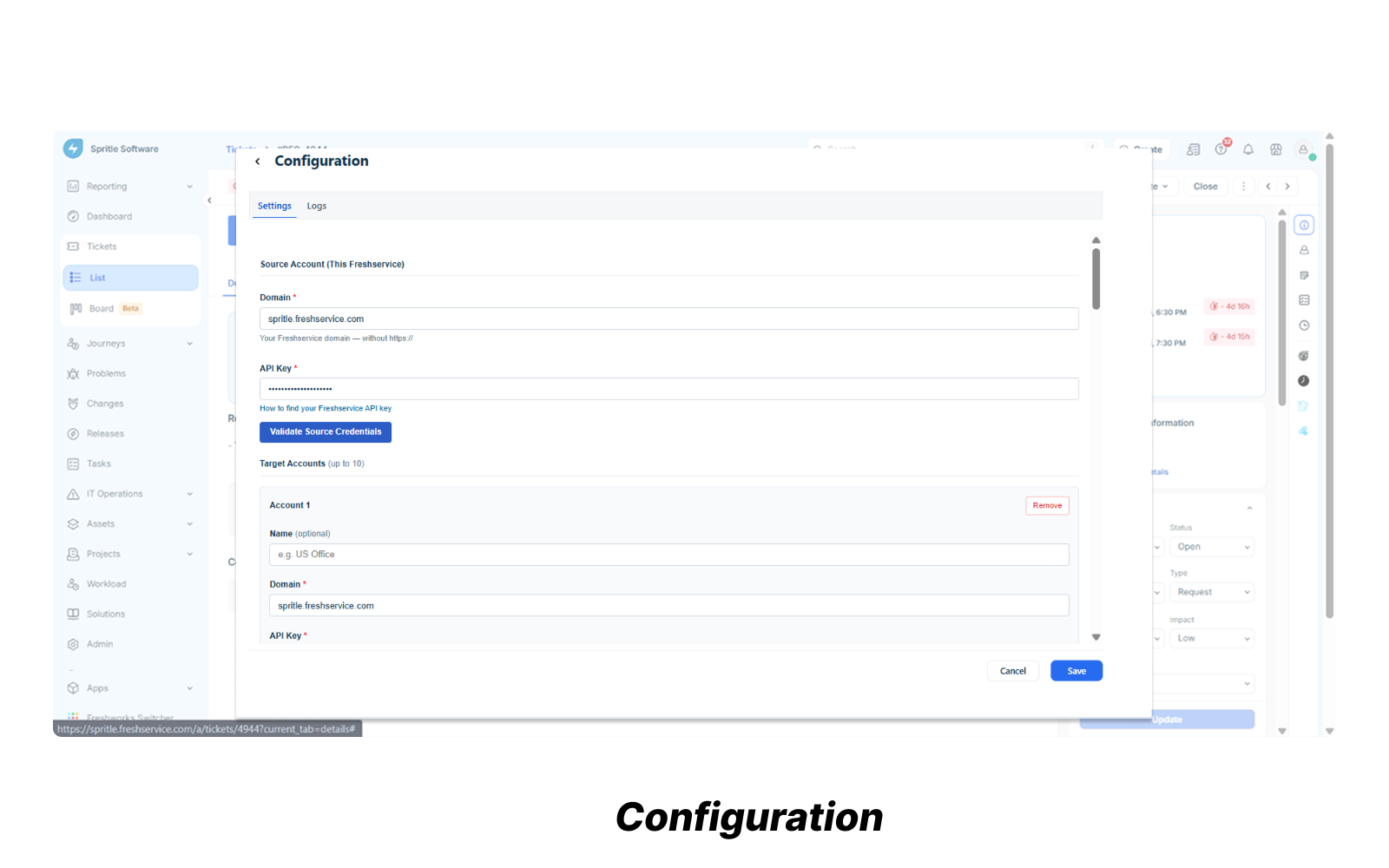
- Supports up to 10 destination accounts.
Images