Back

Future Ticket by Saasly
Schedule a new ticket to be created automatically from an existing one at a future date and time.
PAID
Visit to InstallVerified App
Short Description:
Schedule a new ticket to be created automatically from an existing one at a future date and time.
Description :
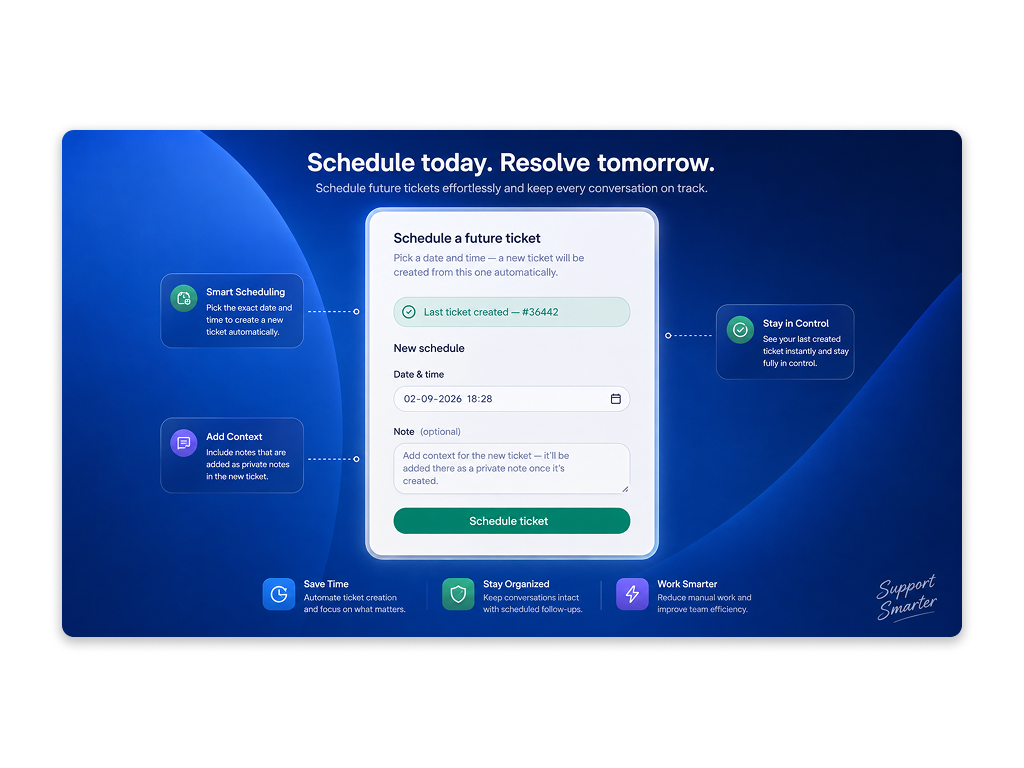
Future Ticket lets an agent schedule a new ticket to be automatically created from an existing one at a future date and time, from the ticket sidebar. A nav bar admin section manages the Zendesk connection and shows scheduling activity.
Key Features:
Ticket Sidebar
- Schedule a new ticket to be created (cloned) from the current one at any future date and time
- Optional note, added as a private comment on the newly created ticket once it's created
- Any number of schedules per ticket, one at a time — a new one can be created once the previous is no longer pending
- Edit or cancel a schedule while it's pending
Nav Bar (Admin)
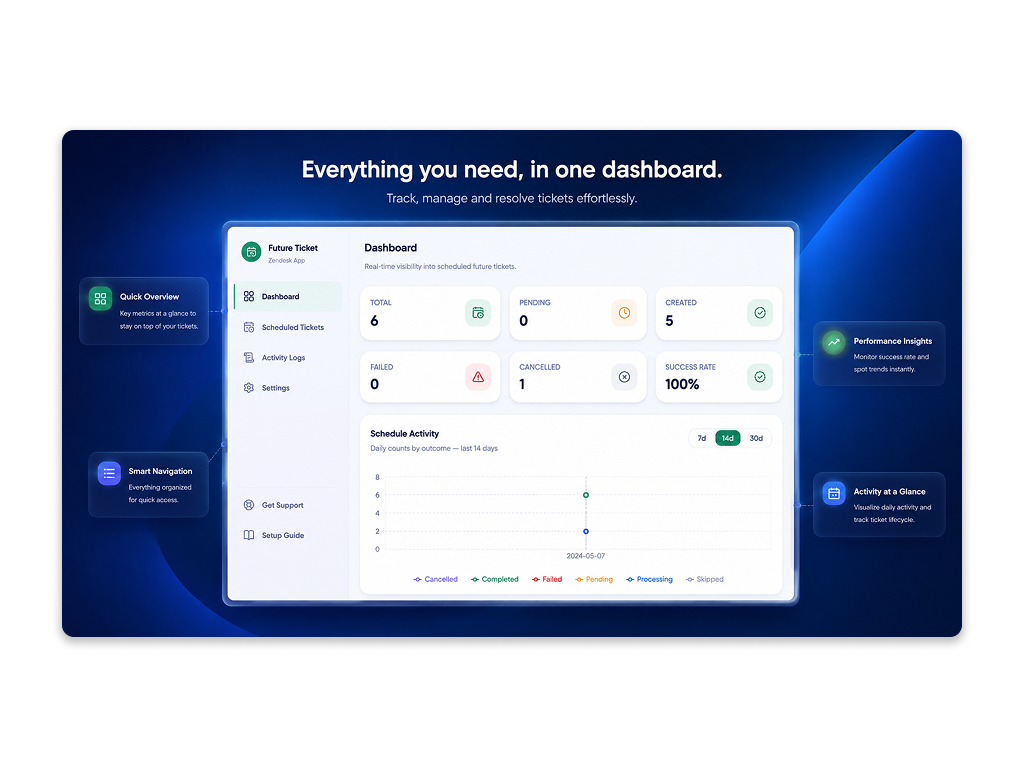
- Dashboard with status counts and a status-over-time chart (7/14/30-day range)
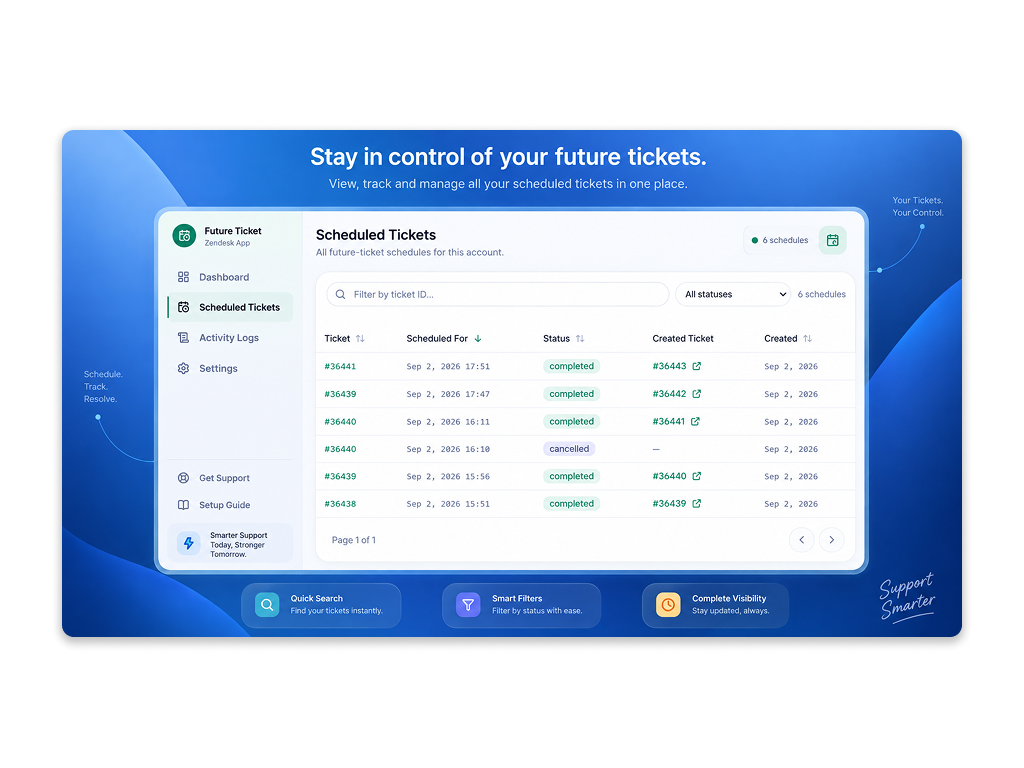
- Scheduled Tickets list with sort, filter, pagination, cancel, and a link to the created ticket once completed
- Activity Logs — an audit trail of connect/disconnect and schedule events
- Settings to connect or disconnect the Zendesk account (OAuth)
- Get Support and Setup Guide links
How It Works:
- A background job checks for due schedules every 10 seconds
- When a schedule fires, a new ticket is created, copying the subject, description, requester, assignee, group, organization, brand, form, tags, and custom fields from the source ticket
- A private note linking to the new ticket is added on the source ticket, and the agent's optional note (if any) is added on the new ticket
- If creation fails (for example, a connection issue), it retries up to 3 times before being marked Failed
Requirements:
- Zendesk account with OAuth connection. The app shows a "Connect Zendesk" banner until the account is connected
- The connection is isolated per Zendesk account
App Screenshots: